CALIBER
2
CALIBER
2
3
C
A
L
I
B
E
R
CALIBER
4
Caliber is the third anthology following Nigredo (2022) and Aerial Archipelago (2023).
Editors: Allan Graubard, Eric Laverty, Valery Oisteanu
Copyright © 2026 by Lulu.com.
ISBN 978-1-105-70023-1
All rights revert to the authors upon publication.
Caliber is published by Surrealium Press; printed and distributed by Lulu.com.
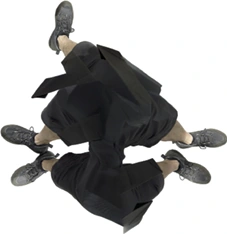
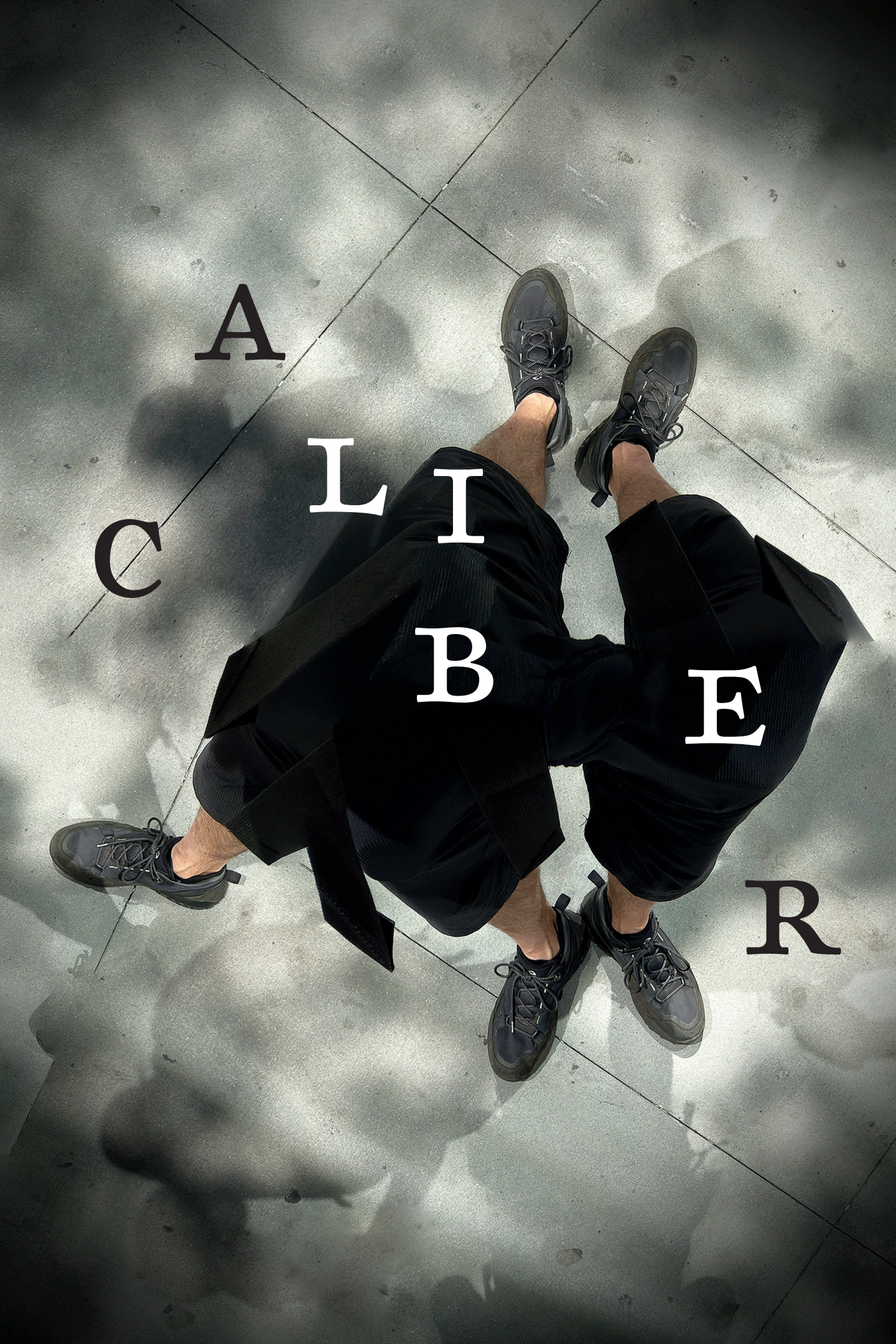
Cover image: Four Shadow Problem, Embodied Solution | 2025 | by Eric Laverty.
All content is presented by the creators as they intended.
5
Contents
CALIBER
6
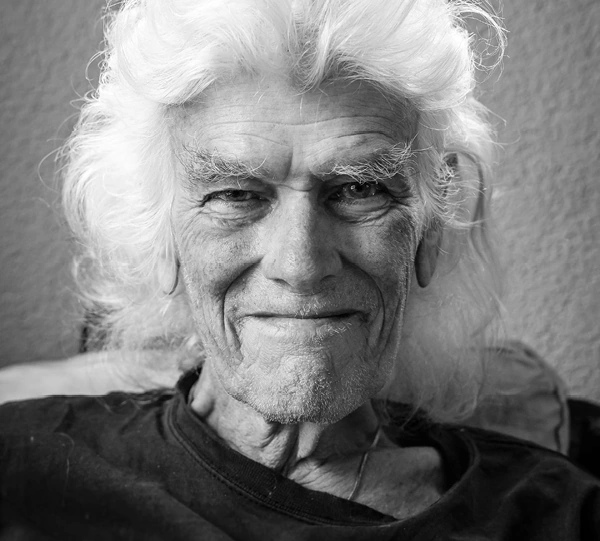
HANS PLOMP
January 29, 1944 – August 6, 2024
In Memoriam
7
When Orpheus died
he spied
next to Pluto’s dwelling
a spring
under a graceful cypress.
Do not drink there,
for it is oblivion
in which you will dissolve.
Go search
for the lake of memories,
there is another spring
guarded by beings.
Tell them
you are done with earth,
you want to return to the source.
Tell them
you are parched
you want to know all.
Bid them
to quench your thirst
with water from
the source of memory.
And they’ll
offer you a drink
and you will awaken
like a god among gods.
– Hans Plomp
CALIBER
8
9
Caliber
I have ever been drawn to works that move me, unexpectedly, poignantly, and fully. When that lucid, ludic, erotic-magnetic current sparks between the expression and my attending to it – be it poetic, literary, artistic, cinematic, choreographic, sculptural, architectural, musical, theatrical, ceremonial, etc. – I know the scene is set for enchantment and for drama. Without the latter two I have no use for the work, however it was done, why it was done, or by whom.
Enchantment and drama as if in a dance, one leading, the other following then changing back and forth in a swinging rhythmic pulse perfectly open to chance yet finely tuned to what keeps them embraced. Neither forfeiting the joy they emit nor the contestation they drink from, which the world foments as much in as before and around me.
This is how I understand the title to the anthology we have published; the very caliber of the expression as an ensemble, from each participant to each reader.
I mentioned the world and something of its complexity. As the 21st century enters its second quarter, the beauty I love, the conflict I endure, the passion, compassion, and anguish born in response foliate, with Spring, rebirth, its watchwords, yes, still, despite all that might crush what I hold so dear. And from this gyre, the fraught winds blow tinged with perfumes as sibilant as sighs when making love in the tropics …
– Allan Graubard
CALIBER
10
11
Seixas Peixoto
A Time Without Time
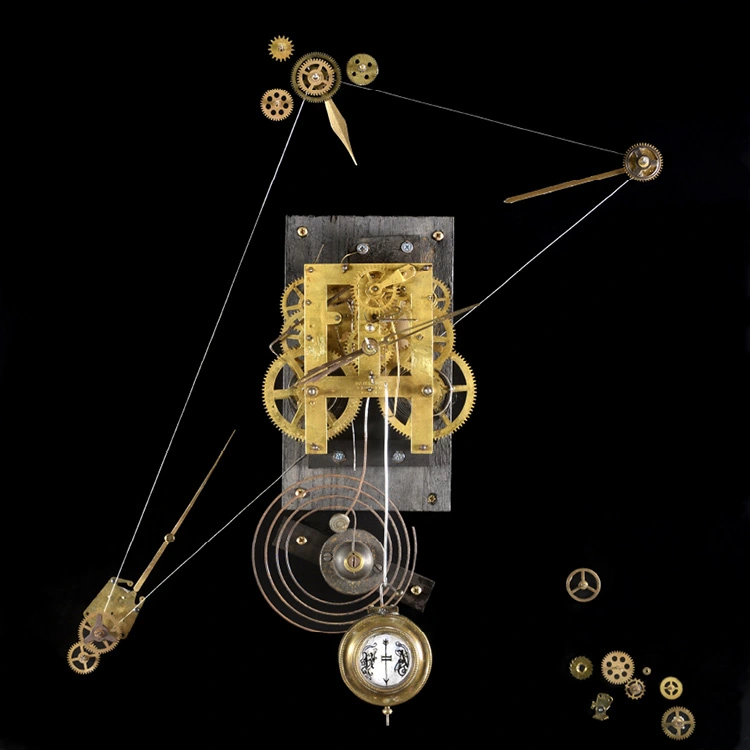
Clock Caliber
CALIBER
12

Clock Caliber
He moved with the breeze in a twilight zone oblivious to his surroundings
13
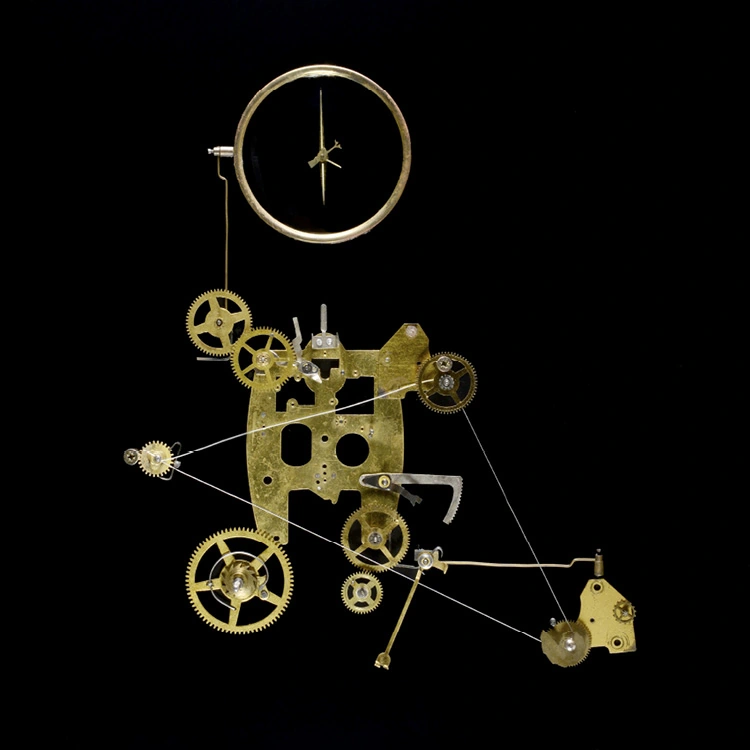
Seixas Peixoto
Clock Caliber
Neither certain nor uncertain, free of miscalculation, drawn by the promise that his deconstruction and reconstruction of time revealed
CALIBER
14

Clock Caliber
Demystifying the hold that time has on us
15
My love, look at my mouth of vitriol
My love, look at my mouth of vitriol
and my throat of Ionian hemlock,
look at the broken-winged partridge that has nowhere to rest and dies
in Rimbaud’s deserts of thyme,
look at the trees like nerves frayed by the day
crying scythe tears.
This is what I see in the calm hour of April,
in the mirror chapel I see this as well,
and I cannot dwell on the doves that inhabit the word Alexandria
nor write letters for Rilke the poet.
Blanca Andreu
Two Poems from About a provincial girl who came to live in a Chagall | 1980
– Translated by Joseph Ellison Brockway
CALIBER
16
Say that you wanted to be a slender horse, name...
Say that you wanted to be a slender horse, name
of some mythical horse,
or perhaps the name Tristan, and dark.
Speak, Greek horse, say you wanted to be a statue since ten thousand years ago,
say south, and say white oleander dove,
that you would have wanted to be in such things,
to die in their substance, to be a column.
Say that all too often
astrolabes, stars, the angel’s trumpet,
came to make music for Rilke the poet,
not for your knees or your walled soul.
While the marijuana filters out into green seas,
it’s speaking in receptions with its green tears,
or stealing from light its deepest green light,
you are not yourself, you are not yourself.
17
Two Poems from Babel’s Staff | 1982
– Translated by Joseph Ellison Brockway
I bleed really bleed light…
I bleed really bleed light that escapes and it’s inside me where the steeds gather to tear up with framed hooves haunches of massive rock the invasive thyme vegetation and May flames. And I drag my dream behind me like a stained dress filthy and heavenly ordained by the angel who reveals blood thirst I drag my dream I emerge under an oppressive midday dragging and leaving behind angles letters that hang from the heavens of blood thirst.
Blanca Andreu
CALIBER
18
The things I held and the things I didn’t hold and even those my hand wistfully held onto...
The things I held and things I didn’t hold and even those my hand
wistfully held onto,
all those things I now hear cursing and blazing.
The same way that I hear your name hammering, mythical forge,
resonating in fabled metal
in white-hot iron that burns me still.
– Blanca Andreu
19
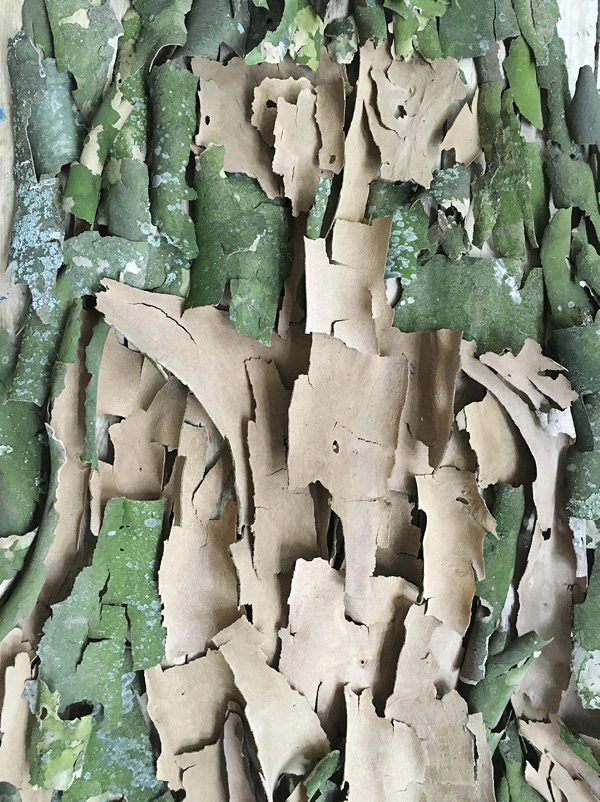
Jan Giliam
SELFIE AS GREEN MAN
2018 | Incarnation in sycamore bark | Photograph
CALIBER
20
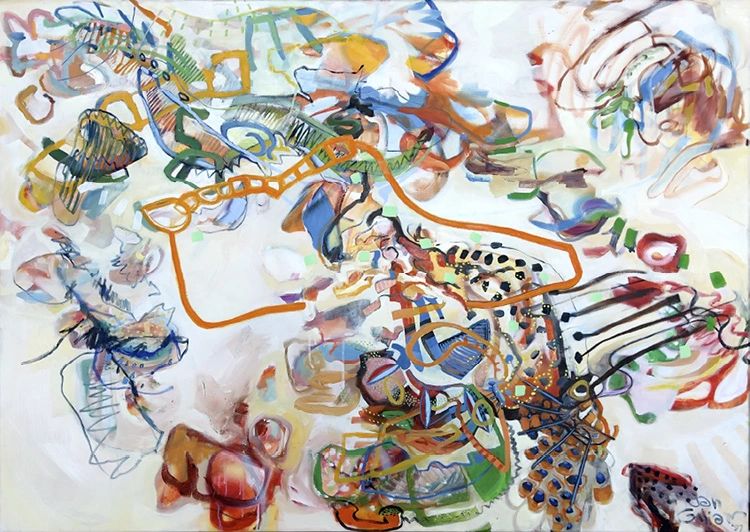
Tribal Art Treasure Map: Meta
1997 | 155 × 110 cm | Oil on canvas
21
CITY DIVE
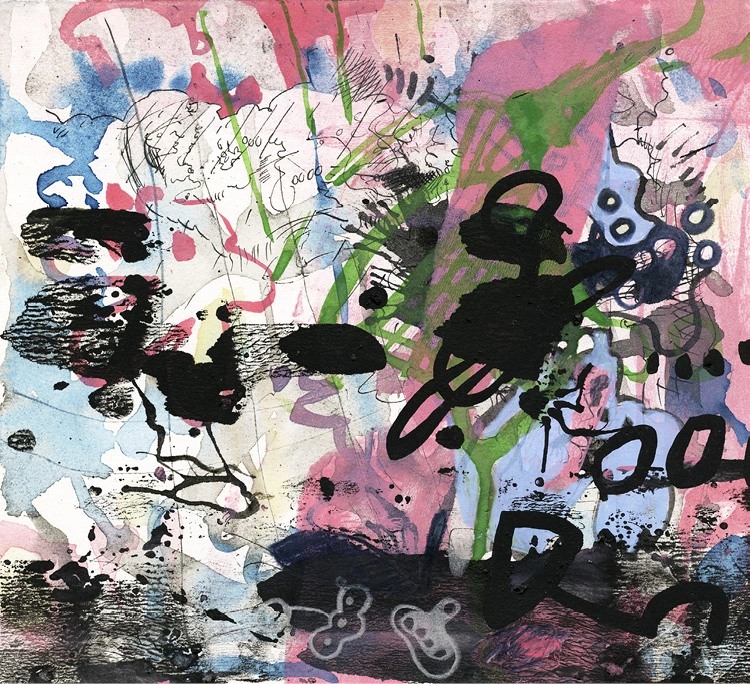
2024 | 21 × 23 cm | Watercolor, ink, and colored pencil on heavy paper
Jan Giliam
CALIBER
22
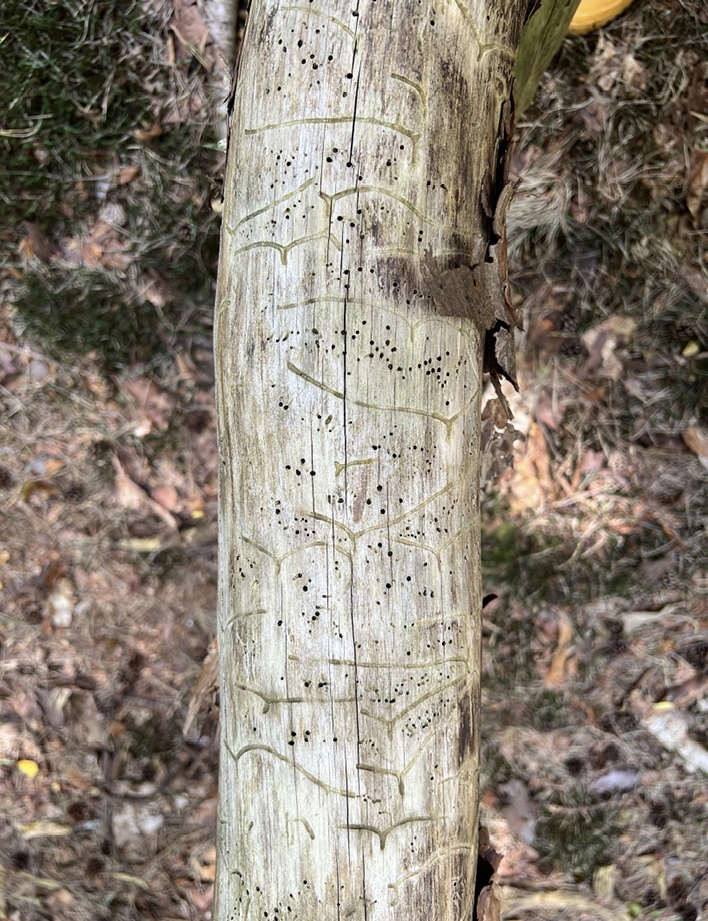
Scribe's Mark
2024 | Found markings by the beetle Ips typographus on pine bark Spanderswoud, the Netherlands | Photograph
23
She turned up at my door a few days after the blackout. Her hair was tangled, more tangled than usual, there was mud on her skirt, her coat was a mess, but the smile on her face was so bright, so radiant it was overwhelming.
“Could I take a shower or a bath or a shower?”
Before I could say anything the water was running, and there was a pile of dirt-streaked clothes in the hall surrounded by piles of sand and clumps of dirt, like a nature show had stopped by for dinner, and I rooted around the closet for a clean t shirt, maybe some jeans that might fit her.
“You got any conditioner? I can’t even get my hands through my hair…”
There was maybe some conditioner under the sink. She was sitting in the tub. It was half full, the shower was on, water had sprayed everywhere, all over the floor, but she was laughing and I was too, and who cares about the floor? It would dry. I put down some towels.
There were scratches on her shoulders, maybe her back, and some bruises, and it looked like her legs were banged up a bit, like she’d been rolling down a hill over and over or gotten into a disagreement with a bear. But then there was that smile, beaming, lighting up the room, and the bruises didn’t seem so bad at all.
I found some conditioner and tried to massage it into her hair, but it was impenetrable, a mass of dirt and twigs and leaves, mud and honey, and she ducked under the water and stayed under, and when she spluttered to the surface, she was laughing and the water was the color of
Brian Cullman
BALLERINAS ON QUAALUDES
(the blackout)
CALIBER
24
leftover consommé. We drained the water and put in fresh.
“You want to get in?”
I shook my head and went to make tea.
When I came back, she was wearing my bathrobe and was trying to dry her hair. She’d wrung out most of the wet and dirty towels and piled them in the corner, and she’d picked up some of the clumps of mud with Kleenex.
We sat in the twilight, drinking tea, watching the sun go down.
And she started to tell me.
Uptown. She’d been in some cafe on the Upper West Side when the lights went out. At first she thought it was just the cafe, a problem with the wiring, with the fuses, but she looked outside and saw that it was everywhere, there were no streetlights, no traffic lights, no lights in any windows, cars were honking, people were just standing, looking up at the sky, as though maybe the moon would tell them what to do.
The older couple she was with started to panic, they’d need to get home and figure out what to do about the babysitter or comfort their cocker spaniel, and the man who’d invited her out, who was swarthy and smoked Gitanes, kept muttering something about Argentina, and he lit a match and held it up to her face and waved Bye-Bye, and then she was alone.
She didn’t live far away, just a few blocks, but everything felt new, there was something exciting in the air, and since no one could see to bring over a check, she just walked outside and slowly made her way to the park. Some people up ahead had flashlights, but they were monkeying around, swinging them in circles like kids at the circus, so it was no help in finding her way.
Little by little her eyes adjusted and she could see the space right around her, not much, but just enough to make her way onto the footpaths she’d known since childhood.
Up ahead, beneath the little underpass, someone was playing saxophone, and the sound was so sweet, even if it wasn’t a song she knew
25
or liked. It was just a sound. In general, she was indifferent to music, and if she liked bands it was because of the way they dressed or posed against the sides of buildings wearing shiny boots and tight leather pants. But not just that. She liked musicians because they had soft hands and mostly fucked with their eyes open.
As she was standing there, listening to the saxophone, she felt a hand on her shoulder. It was powerful, gripping her shoulder, but there was nothing threatening about it. On the contrary, it was comforting, and she could feel the heat of someone standing behind her, and he felt safe and warm and alive, and when he started whispering in her ear, it felt like it was a voice she’d always known.
His name was Ra. Like the sun god. And maybe he was the sun god, that seemed almost possible, though he didn’t make any claims. He lived here in the park. Maybe he hadn’t always, but he’d lived here awhile, and he knew every inch, every tree, every bush, every path, this was home, he could find his way in the dark.
When he spoke, his words seemed to glow, and everything around them seemed illuminated from within. He took her hand, and he led her up a small hill and through a place of bushes and soft grasses. And maybe he was speaking, telling her the names of the trees or what sort of bird that was calling out from a high perch, or maybe she was just feeling the energy, the spark between them, the bond, and she was with him every step, not simply following but beside him, at one with his steps, at one.
They were in a clearing, there was moss, trees above them, trees around them, it was safe, and when he pressed his body against her, it felt like everything she’d wanted from a lover, from a father, from the world, everything, and she held onto him for dear life, and he onto her, and she slept for what felt like days.
In the light of the morning, she could see his sleeping face. He was older than she’d thought, chiseled and worn, and there were deep scars along his cheeks and by one of his eyes, his left, no maybe his right eye, cut by a knife or by life, and his clothes were cheap, not just cheap, but crummy, threadbare.
“But I think he really might be a god.”
Brian Cullman
CALIBER
26
“Really.”
“Because if he’s not, then what is he?”
“And if he’s not, then what am I?”
“But for a moment, for that moment, he was everything I’ve ever wanted.”
“Everything.”
“And I’m pretty sure I could find my way back.”
– Brian Cullman
RAML|A|NTHROPOCENE
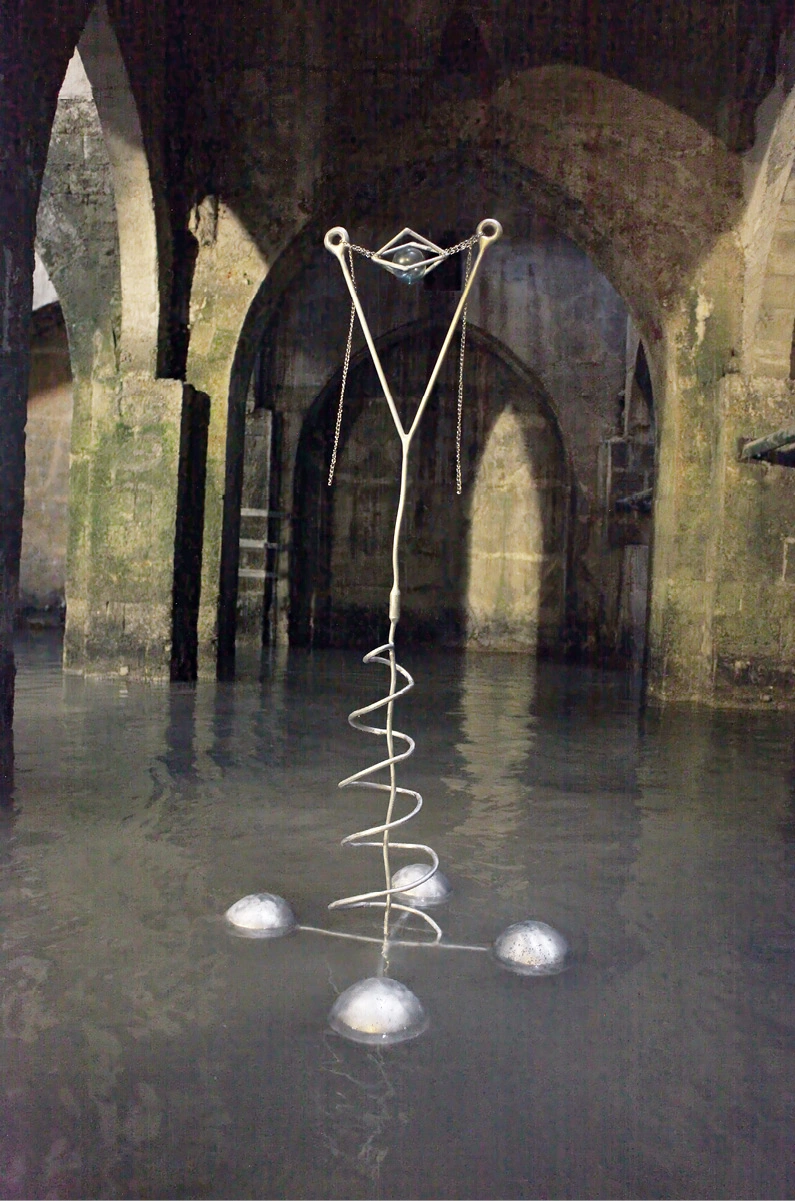
2023 | Aluminum alloy and vintage glass
27
Daniel Rothbart
RAML|A|NTHROPOCENE | 2023
CALIBER
28
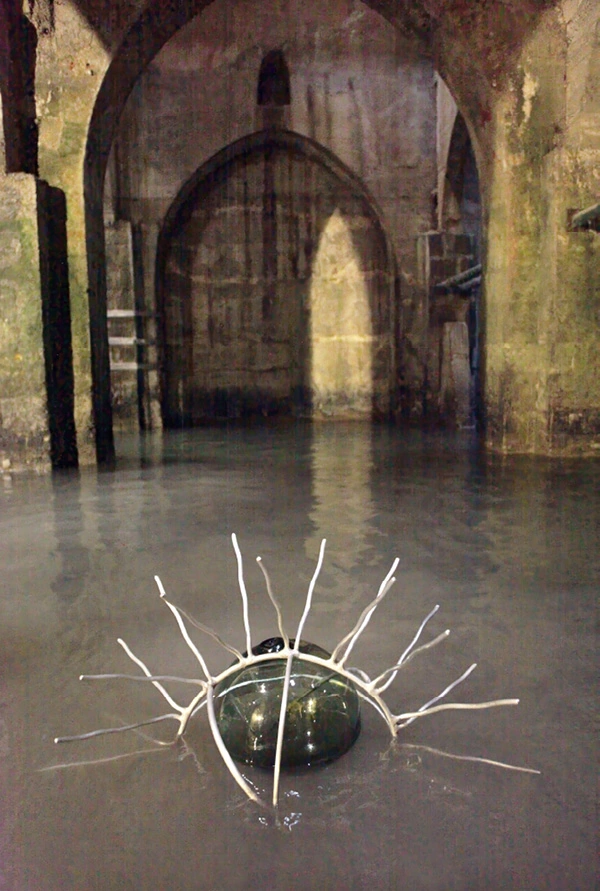
A constellation of my floating sculptures in the Pool of the Arches in Ramla, Israel.
RAML|A|NTHROPOCENE
2023 | Aluminum alloy and vintage glass
29
Daniel Rothbart
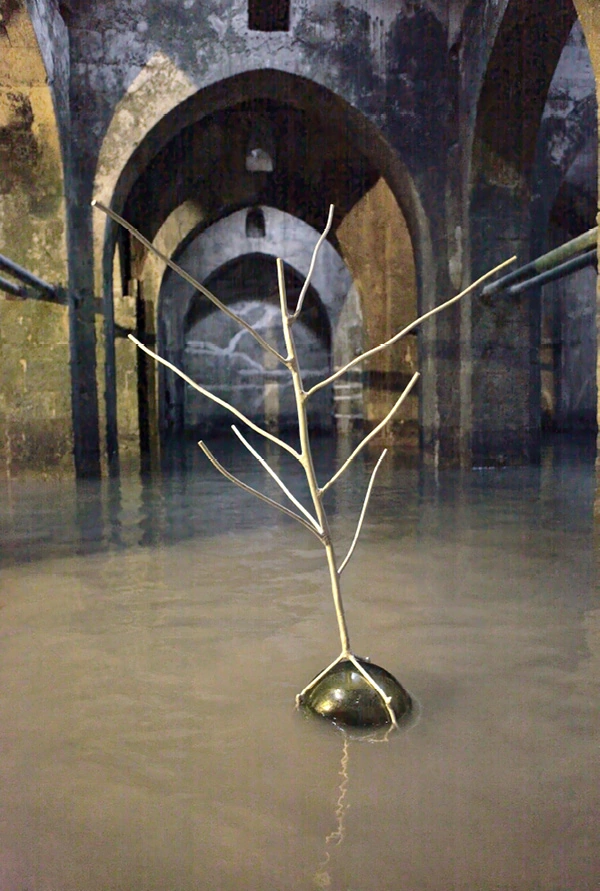
Suggesting aquatic life and flora of the distant past. Constructed as an underground cistern in 789 CE by the Umayyad culture during the Islamic Golden Age.
RAML|A|NTHROPOCENE
2023 | Aluminum alloy and vintage glass
CALIBER
30
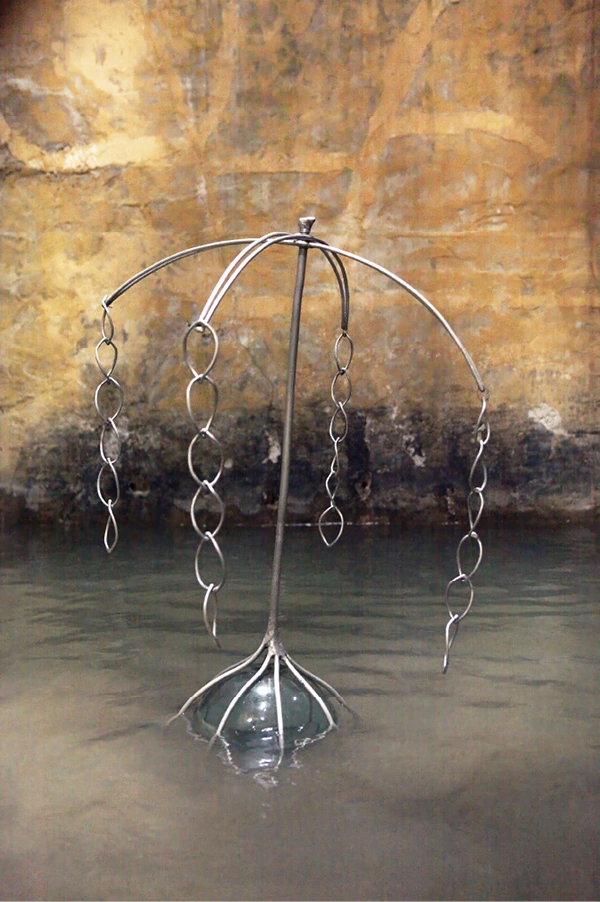
Legend has it that, to this day, a genie lives in the pool.
RAML|A|NTHROPOCENE
2023 | Aluminum alloy and vintage glass
31
Valery Oisteanu
How I discovered Surrelium!
In the early morning of November 15, 2025, I finally separated a very small amount of green liquid in my search for the ultimate “dream” element that I spontaneously dubbed “Surrealium” (pronounced SUR-REAL-I-UM), named after my surrealist mentors in Romania. For the best medicinally induced dreams or visionary prophesies, Nostradamus stated that we need to extract, farm and dispense Surrealium as a medicine to cure boredom, depression and writer’s block.
In my early education I also studied organic chemistry at the Polytechnic of Bucharest and graduated with an engineering degree, all against my will. I learned that even technology is not neutral. The alchemy of those five years continues to follow me in my nightmares and in my poetry.
While reading the Tarot cards, I came upon a combination of VIII, IX and The Fool used by alchemists. The Fool is a poet, beggar or vagabond, who wears ragged clothes and stockings without shoes and carries a stick on his back, all the while happily singing. Number VIII of Swords indicates facing one’s mental barriers, breaking through mental inhibitions and conquering fears. The number VIII in the Tarot Card imagery also depicts the process of manifesting the new material reality.
The IXth card often symbolizes the completion of a cycle or the realization of profound solitude (bordering on self-harm), leading to intense introspection. In the context of dream-surrealium, this card represents an inward journey where one uncovers essential truths, reflecting upon the harvest of the mind's chemistry and the deep workings of consciousness.
At the time of my discovery via a microscope, I found that this strange green liquid happened to be Surrealium oxide (SrrO2), and although I realized I was looking at a new substance — possibly a new metallic addition to the Periodic Table — it became apparent that only I could fully envision its properties. I guessed that this substance was a component found in the brain, maybe a psychotropic agent, a testosterone buster or an aphrodisiac.
CALIBER
32
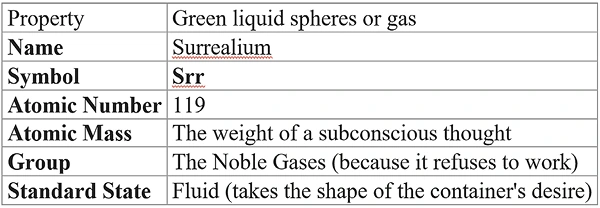
Surrealium, metallic element nr.119 in the Periodic Table, has 60 protons, 59 neutrons and a variable number of electrons. I named it Surrealium because its compound proprieties, known as “citrates of Surrealium,” can create a psychotic episode or a state of trance, euphoria-sexualis (orgasm), hallucinations, schizoid episodes, wet dreams or even religious revelations.
Perhaps Surrealium can be extracted during autopsies from the gray matter of recently deceased adults, male or female, from prisons, mental institutions or monasteries. It also can be detected through spectrographic analysis of the active live brain during intakes of hallucinogenic drugs or during deep REM sleep or a medically induced coma.
Srr is a natural element that appears in pineal neurons. It can be activated by substances such as yage, ayahuasca, mescalin, psylocibin and peyote, or provoked by deprivation of sleep, water, food or speech, and also during religious rituals.
Surrealium compounds have a short lifespan and reabsorb back into gray matter and non-psychoactive brain liquids.
Surrealium is governed by the planet Uranus, which is a planet of solitude and silence and subconscious introspection.
Surrealium can be generated by anyone through meditations, Zen for Nothing sitings or just in the automatic practice of surrealism.
The danger is that the critical mass of Surrealium is prone to explosion, often accompanied by cascading hormonal waves that can induce convulsive reactions in the muscles and delirium tremens.
SURREALIUM 119
Surrealium as a Chemical Element
The Scientific Datasheet
33
Electron Configuration Instead of standard orbitals, the electron path is nonlinear, possibly “theoretical” in a quantum state of strings.
Physical and Chemical Properties The element Srr behaves as a stimulant for inspiration for exquisite corpses.
Phase Transitions
Melting Point: The element does not melt at a specific temperature; rather, it melts when observed by a clock that melts.
Boiling Point: It boils instantly when exposed to Rationalism.
Reactivity
High Reactivity to Logic: When Surrelium comes into contact with “Hard Logic,” it triggers a violent reaction known as Juxtaposition to Logic and Sentimentalism.
The “Exquisite Corpse” Bond: Atoms of Srr do not bond covalently; they bond randomly, creating chains where the head of the molecule does not know what the tail is doing.
Isotope Stability
Isotope Srr-Magritte: This isotope appears to be a solid metal, but upon testing, reveals it is merely a painting of a metal.
The Discovery Narrative (The “Methodology”) Every element has a discovery story similar to the Paranoiac-Critical Method. The Abstract: “We did not find the element in the earth’s crust. We found it by staring at a blank wall until the wall became a window. The isolation process involved distilling the essence of a dream recorded immediately upon waking.” The Extraction Process: Step 1: Induce a hypnagogic state (the space between sleep and wakefulness). Step 2: Filter the results through a mesh of “Automatic Writing.” Step 3: Centrifuge the logic out until only pure Absurdity remains.
Valery Oisteanu
CALIBER
34
Safety Warnings for artists Inhalation: May create the feeling that the floor is the ceiling. Skin Contact: May result in the growth of anthropomorphic drawers from the torso. First Aid: If exposed to too much Surrealium, (SrrCl+H2O), immidiately read a dictionary or a train schedule to restore boring reality.

Periodic Table with New Surrealium Element



35
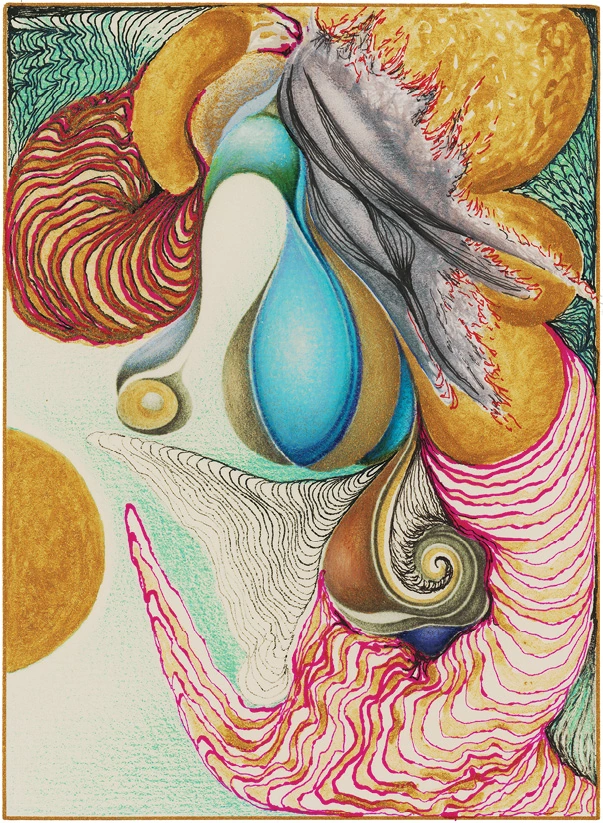
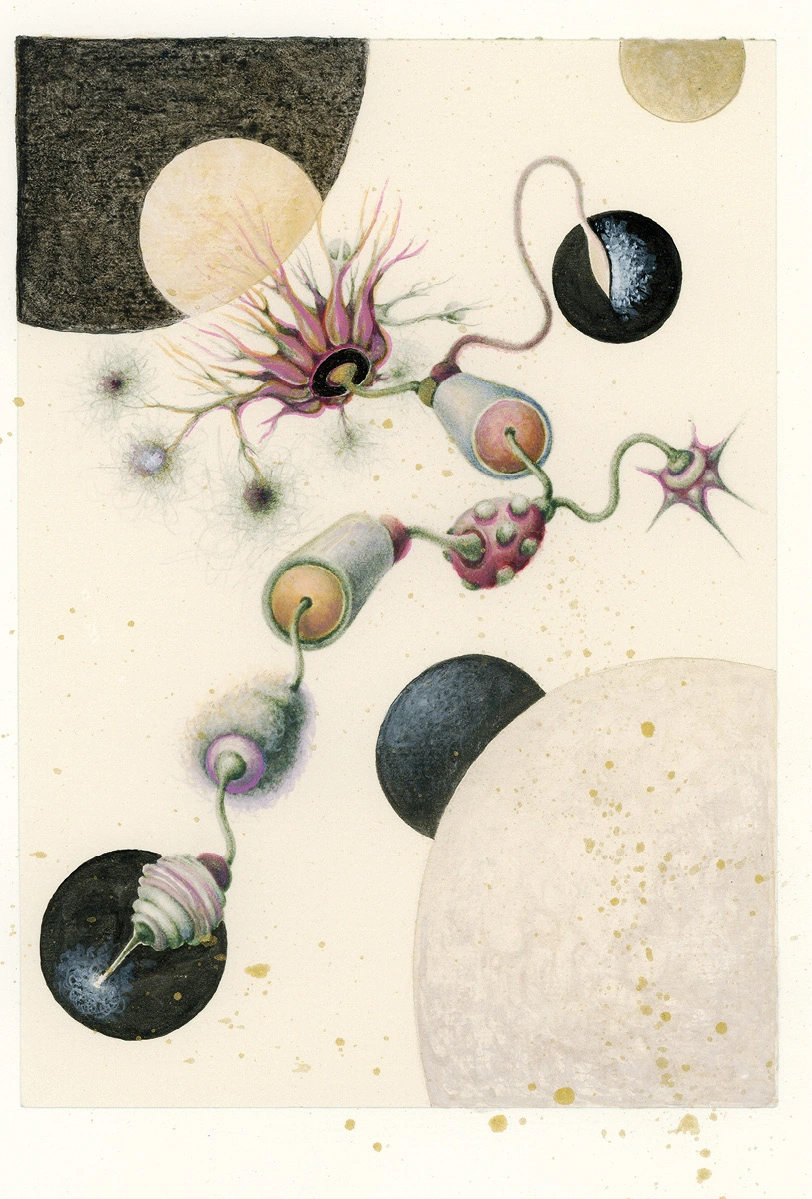
ALCHEMICAL REVERBERATIONS
2020 | 7 x 5 in.
Pure pigment transfer on rag paper with ink, acrylic paint and Prismacolor
Frances Smokowski
CALIBER
36
37
Frances Smokowski
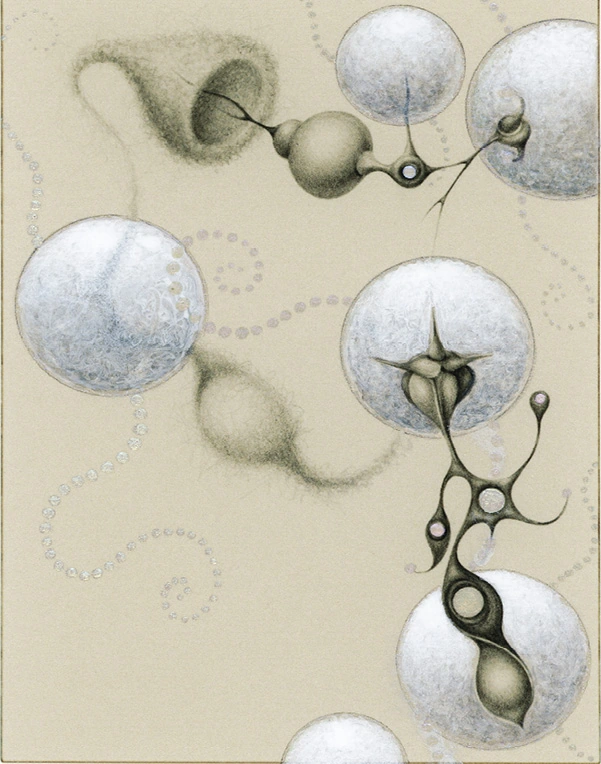
ORBLINGING
2022 | 7.2 x 5.3 in.
Pure pigment transfer on rag paper, hand embellished with acrylic paints
(above)
REM-IGNITE
2022 | 8.3 x 5.7 in.
Pure pigment transfer on rag paper, hand embellished with acrylic paints
(left)
CALIBER
38
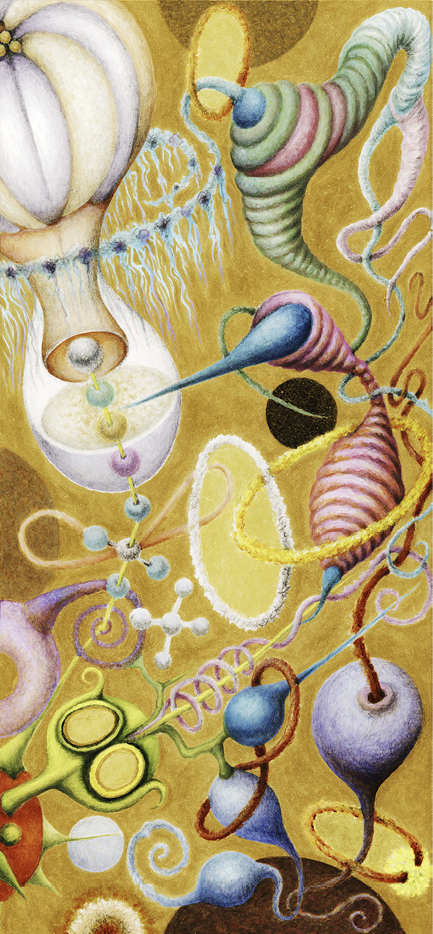
Polychrome COMMUNICODA
2022 | 16.2 x 7.5 in.
Pure carbon transfer on rag paper hand embellished with acrylic paints
39
Paul McRandle
Cinders
At a certain hour of the morning in a canyon on the outskirts of Albuquerque large, black millipedes shiver to the surface of the sandy paths, squirming together like cords rippling on a ship’s deck. Pictographs on the canyon walls witness their appearance in the dry heat.
CALIBER
40
Horse tooth fossil, what strange being do you possess? Vapor rising from the splitting floes of Lake Superior on a spring morning. God-tooth black and veined to gnaw the pearly quince of night, to gnash the spines of race-track fixers.
41
“Vespertilian” might as well be an imaginary word flitting on the edge of sleep caught like a shooting star in the corner of an eye. When aren’t words imaginary, no matter how solid we make them? A stuttering void arcs in the canopy overhead as delicate as the tracery of Mt. Erebus’s shadow passing across a satellite’s wreckage.
Paul McRandle
CALIBER
42
We sleep in the night sweats of the past, a resinous hashish you could sell and smoke if you have the tolerance. That sticky, nicotine grime that adheres to the walls of old hotel rooms like the verdigris growing from pound coins in damp wallets make up the repellent, boiled down mass of events, a distillation that must be burnt off. You could write whole constitutions with a stylus in the stuff. Words congeal around our bodies, ripen like cataracts over our eyes. Histories are constantly rewritten in the ink of these night sweats.
– Paul McRandle
43
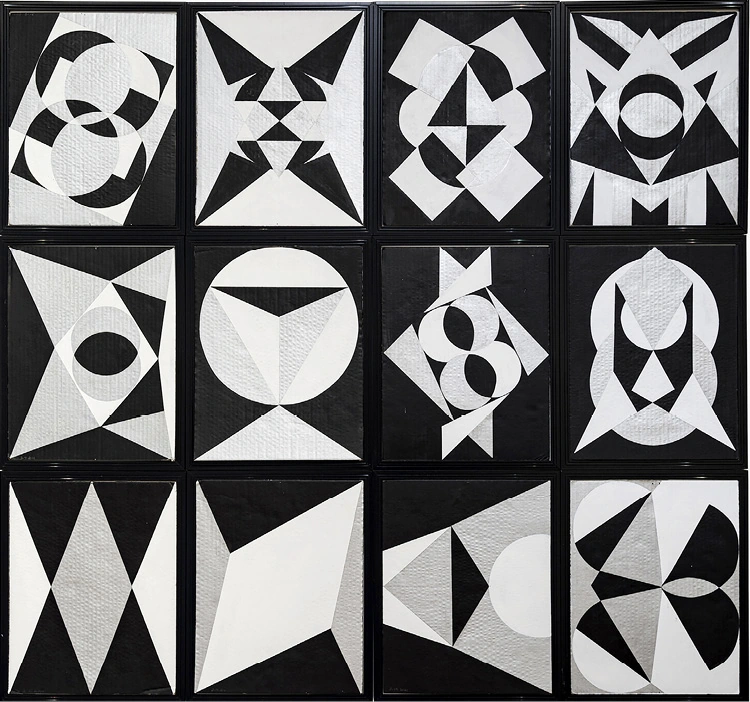
Francine Hunter McGivern
Compossibilities
2021 | 12 works in series | Gouache on cardboard
CALIBER
44

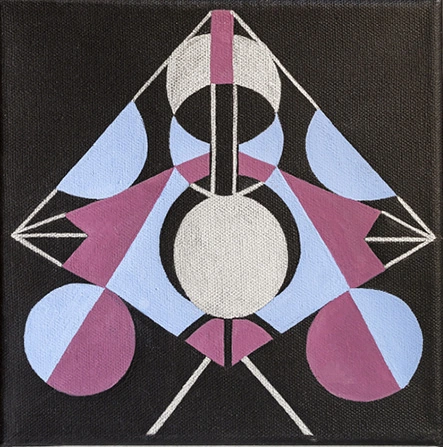
Voice of Silence
2024 | 2 works 10”x10” | Gouache on canvas
45
Francine Hunter McGivern

RA SERIES
2020 | 18 works in series | Gouache on handmade watercolor paper
CALIBER
46
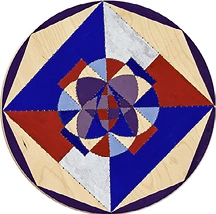
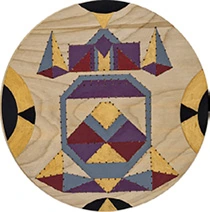
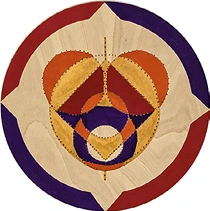
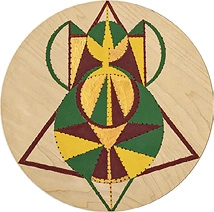
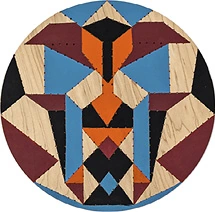
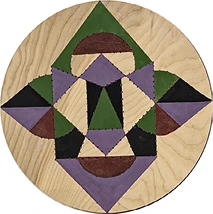
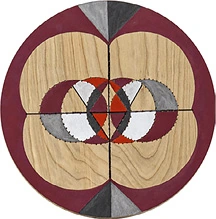
HOLEY TONDOS
2023 | 7 works in series | Gouache on punctured birch panel
47
Allan Graubard
The Other Day
The other day I went downtown to meet my wife for lunch at a favorite spot in Chinatown. I left early enough to enjoy a bookshop on the way, one of the few bookshops left in this madcap town. I had just reviewed a new title -- a penchant of mine, book reviewer -- and needed something else, something different. What it might be I left to chance; the harbinger; who hasn’t found something wonderful when leaving it to chance? So I hopped on the subway, four stops, and after a brief walk there it was, the door open.
I did what I always do in a bookshop. I went over to the literature racks, displayed by country and region: British, Central and Eastern European, Asian, and the like. After a quick scan, I came up empty. Then turning around, there was a small free-standing bookcase dedicated to France. The top few shelves, with its celebrated authors, were par for the course – not for me. But at its bottom an inch or two from the floor was a name that drew me: Marcel Schwob.
Now forgetfulness is not my usual fault, especially when it comes to books. I do not forget the books I’ve read. And I certainly would not forget having read a book by Marcel Schwob. His voice, ever charming, his skill in extracting from an experience the details that give it life on paper, has inspired me ever since I first read him. His brief tales with their infectious verisimilitude are magical. It’s that simple. Not only does he tell a tale drawn from the historical record – something that actually happened – he tells it as if it didn’t; as if without his recreation, it would vanish into the minutiae of that record, never to
CALIBER
48
be found again. The title of the book, which also carried the subtlety in his voice, a kind of diminuendo when counterposed to harsh reality, was perfectly apt, too: Imaginary Lives.
Curious phrase: Does he mean by it lives made up to seem real? Or does he mean that without imagination living suffers an incommensurable loss that no one can sustain? Or does he mean something else; that he had no choice but to embellish a life he found in the historical record but not given anything more than a pale, imperceptible patina of vivacity by that record?
I am not sure if any of these questions are useful when related to his intention or his execution. Perhaps, as he wrote, he drank equally from each and then, having done with them, moved on.
At least I had found the book and despite or because of my curiosity about the title, sometimes they’re one and the same, purchased it.
A few minutes later I met my wife and we had a pleasant meal in a warm restaurant on a cold, brilliant winter afternoon.
When I returned home, I realized that I had bought this book when it was first published two years ago. How could I have forgotten? Was it possible that in two years my memory had slipped enough to cause this lapse? Perhaps I wanted to forget because of the pleasure that the tales in the book gave me when I first read them? Perhaps I wanted to relive that pleasure by buying the book again?
The latter most probably is true. But would it work? Could I re-read these imaginary lives as if for the first time or with some sense, however indefinite, that I knew the narrative; the surprise of discovery replaced by a previous encounter defined by surprise? Does that kind of apprehension when reading touch on broader issues, such as the relationship of knowledge to the imagination and what takes precedence when writing?
49
Allan Graubard
Put another way, did I want to re-read the tale of an imaginary life as if I were the author or some part of him; a man I could never meet, having died decades before I was born? Had Marcel Schwob become a character for me to imagine in the words he set down, compelled by other characters he had plucked from history in each tale he wrote? Didn’t he exist in them as they existed in me? Weren’t these the questions that Schwob would ask in order to write about an author from ancient Rome, a young prostitute from Medieval France, an explorer tracing new shipping lines across a shadowy sea still unmapped, a bad poet envious of Dante who, with the death of his father and the assumption of family wealth, used it to ensure his rival’s misery?
Am I taken by all of this, and the other characters that populate his tales, perhaps as Schwob was when first discovering them? Or is my presumption wrong when faced with his artistry, within or behind which he, the author, disappeared?
Does an imaginary life live beyond the bounds of the imagination that reveals it? Is Marcel Schwob riding up the elevator to this floor, and is that his faint, cautious knock on the door? Or am I one of his characters, jotting down this brief notation in a cheap notebook that will make a future literary historian smile when discovering it amidst some antique trash in the back of a barn on a rural route a century from now?
Is that the title to a tale that Schwob never wrote, A Century from Now…?
And in which still incomplete, flickering with breath, fleshy, fleshless, I am suspended…?
CALIBER
50
In the dark baleful instants of nothing
when words clutter on my tongue like dead birds
when I reach up to the illusions I haunt
and find myself one among many
when nights drift in storms of red marl
and headless songs coil from old records
and crowds surge and recede
along the glittering avenues of fear and deception
my dead heart artless fugue buries
hands because it has no feet
– Allan Graubard
Fugue
51
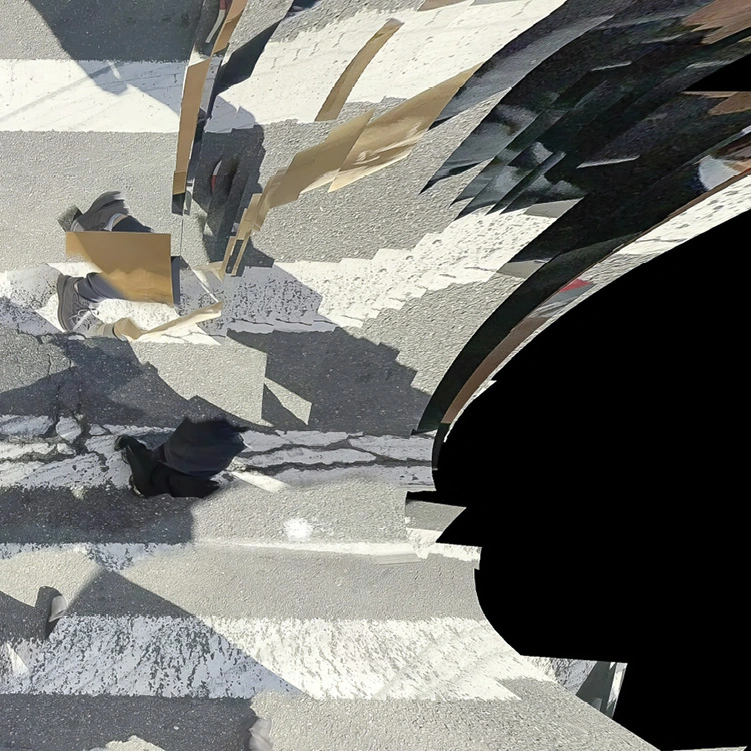
Eric Laverty
A Saccade That Cannot Be Suppressed
2025 | Archival pigment print | Limited Editions
CALIBER
52
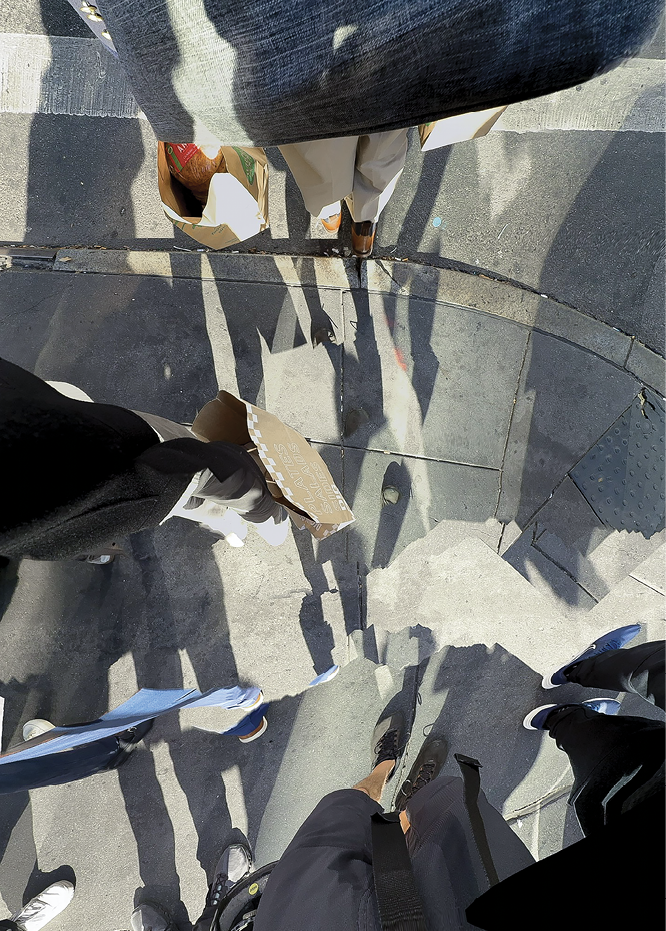
X-ING 40 DEUCE #2
2025 | Archival pigment print | Limited Editions
53
Eric Laverty
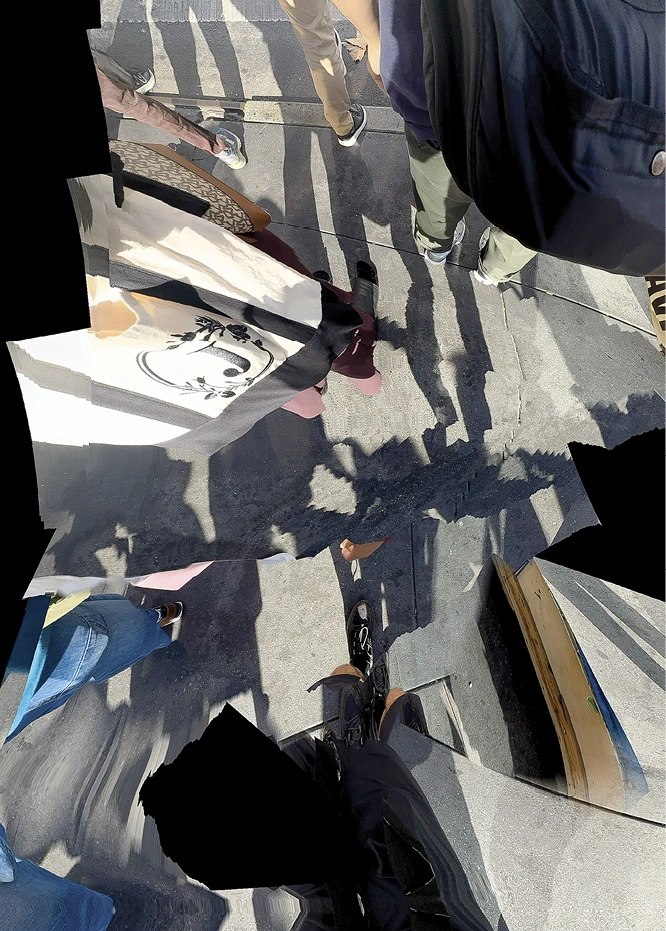
X-ING 40 DEUCE #1
2025 | Archival pigment print | Limited Editions
CALIBER
54
55
Valery Oisteanu
Abort Digital Junk!
Caliber rejects the tech-augmented “collective swarm language” born out of the invasion of our psychedelic creativity by VR and AI. We remain independent no matter what, using speech musicality and metaphysical Ouija board-like techniques to access inspiration.
Drop your Chat GPT and use instead the chance associations similar to free jazz. Renounce digital “dream logic,” and say no to AI subjectivism, no to social media masochism. All these pathetic distractions are diluting the spontaneous trance, the revolutionary spirit of automatism and research into the "contemporary marvelous." The future of subconscious literary expression lies in a collaborative sphere of stream-of-consciousness triggered by lived psychedelic, pre-digital experiences, not in neurotechnological interfaces.
Microdosing and dream-meditations on desire are proving that the “marvelous" thrives beyond the techno traps here in Calber!
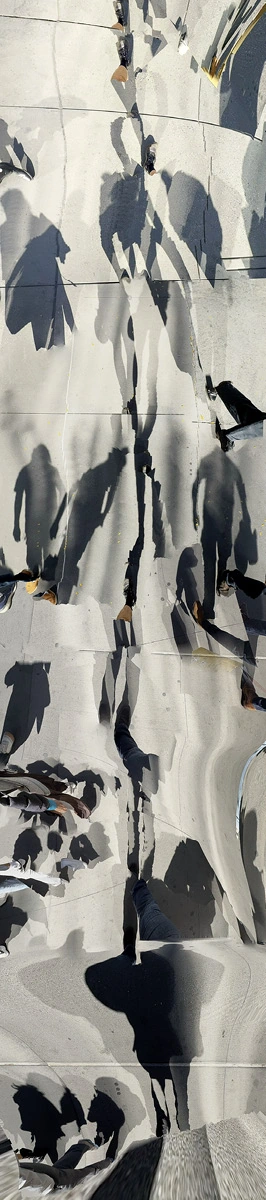
MADISON AVENUE BOOGIE WOOGIE
2025 | Archival pigment print | Limited Editions
CALIBER
56
57
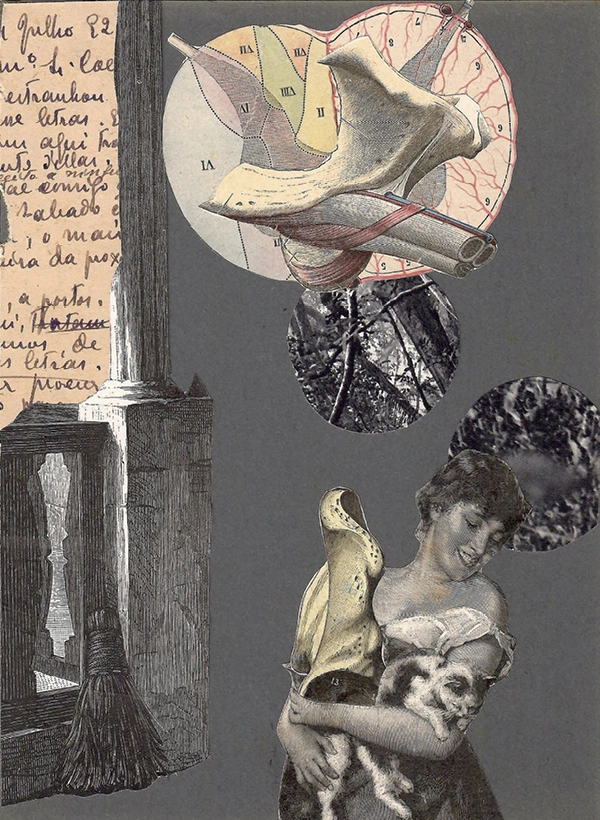
Miguel de Carvalho
road of uncertainty nº 9
2025 | 22x16 cm | Collage on paper
CALIBER
58
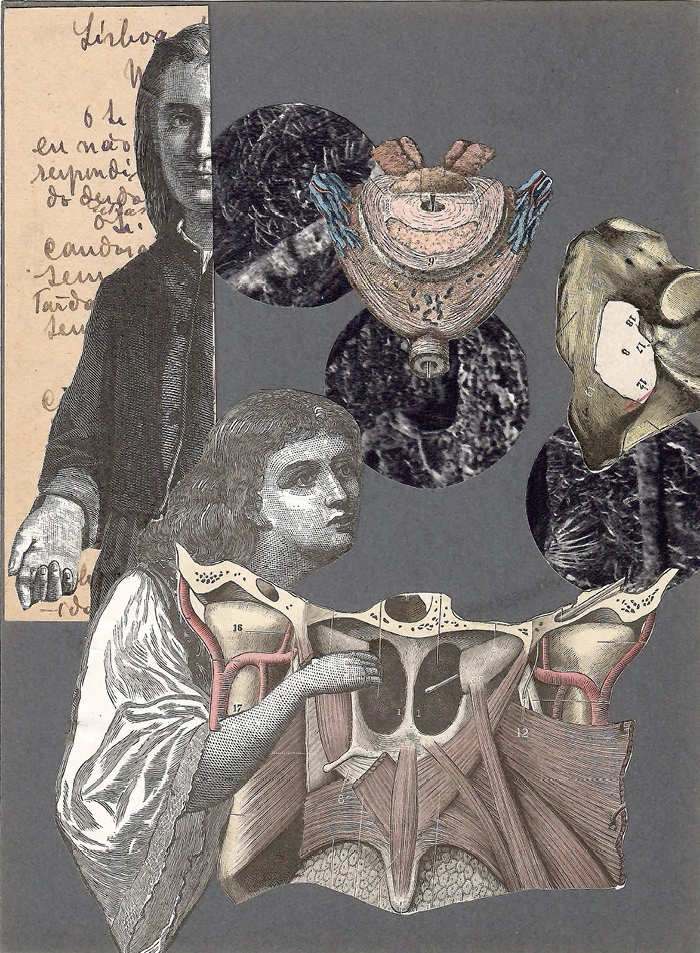
road of uncertainty nº 7
2025 | 22x16 cm | Collage on paper
59
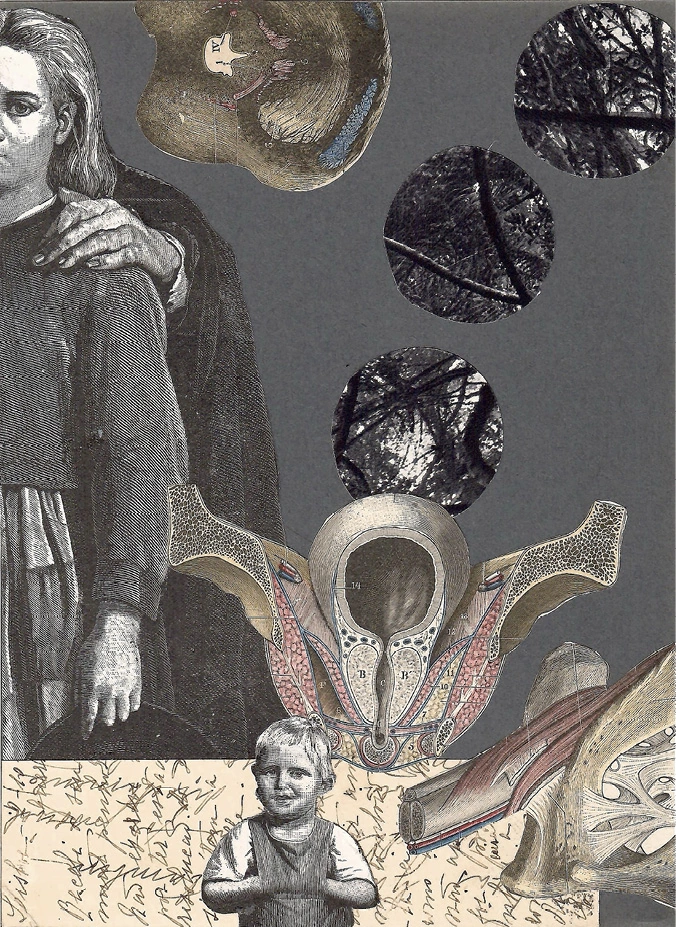
Miguel de Carvalho
road of uncertainty nº 8
2025 | 22x16 cm | Collage on paper
CALIBER
60
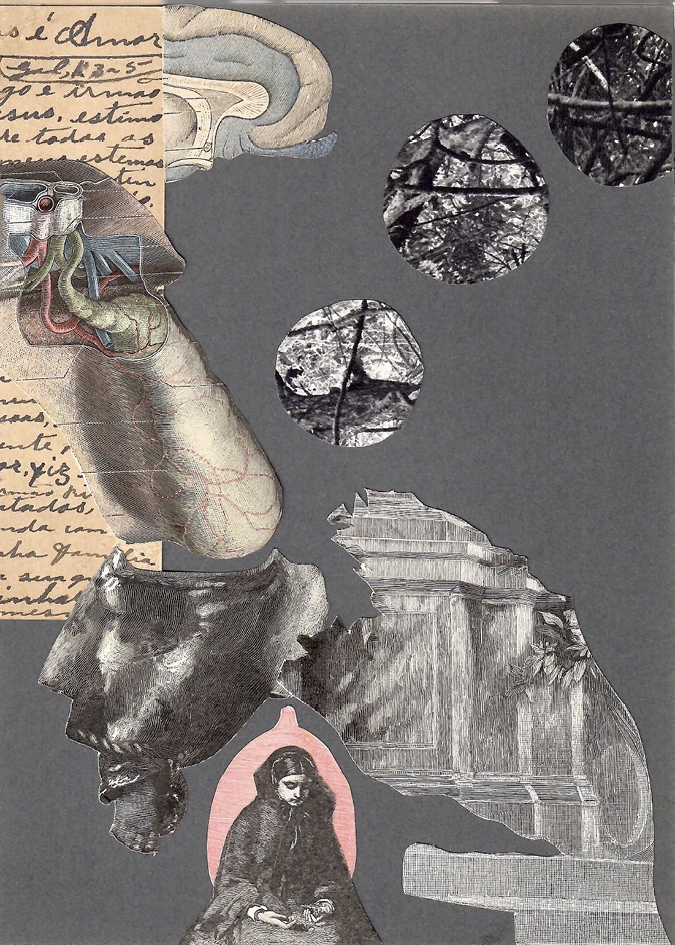
road of uncertainty nº 10
2025 | 22x16 cm | Collage on paper
61
Capital Gains
roaming candle contra all-night-long
comenzar con España 1936
like iron pillar heads on brown hills
morality as method a fright
as crooked as straight
blaring harlequins sky high
lolling in a poor fellow’s coffin
where you only you can draw that line
come passersby down hasty naked road
James Brook
Winner Take All
“Is there any way to win?”
“There’s a way to lose more slowly.”
– Jane Greer to Robert Mitchum
in Out of the Past, dir. Jacques Tourneur (1947)
CALIBER
62
Not in the Least, My Friend
— In homage to Benjamin Péret
arrogance if carefully done
when dirty like a sedan in a scarlet shirt
which the little finger whispers
into the ear of a zebra in sequins
that shows affection like a proper gentleman
who is boneless
but rich in old magazines
Oil and Dripper for example
or Smelter’s Vacations Abroad
just about an hour ago
some people called that stamina
and here’s where the plants come in
like a whispering knife
or an empty warehouse at midnight
let’s call it a hangar for the sake of argument
of the kind that removes water spots
from the gentleman’s suit turning
gray like the mad weeping of children
fleeing the rubble of their smoking school
63
James Brook
Weatherizing Your Demographic
where how long how often
what the soil provides
what the body endures
plus the who of it
as breakers roll in
and bedsheets fly off
a new year’s surface area
stripped bare under all that sun
CALIBER
64
Neon Eats
have a lunch is better than none intones the manager glued to his stool
every day farther from the sea whose occupants dressed or naked
are to him a pleasing crowd phenomena by the sand-strewn horizon
makeup smiles as makeup will at the black telephone
a mystery to dull youngsters or gray men kept at the ready
in what zero hour no matter what the number to call
– James Brook
65
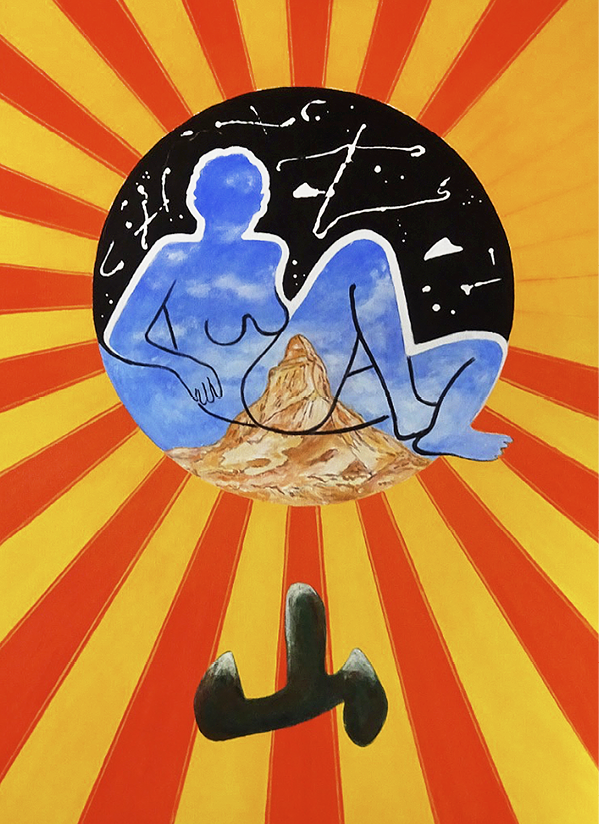
Woody van Amen
UNTITLED
Acrylic on canvas
CALIBER
66
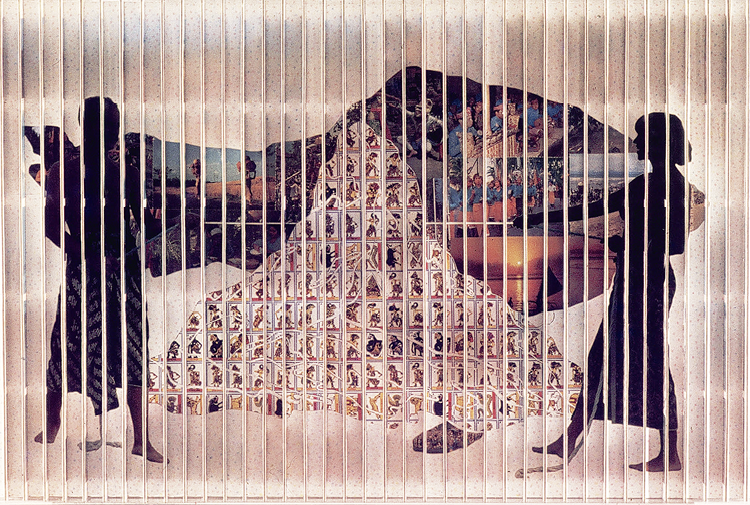
KUTA BEACH - PERMANENT WAVE
1979 | 64 × 96 cm | Collage on board
67
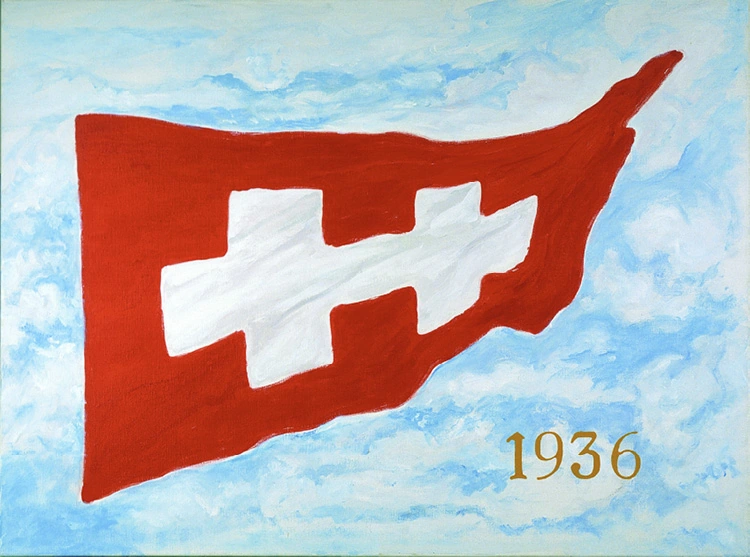
FREEDOM OF ART
2002 | 90 x 120 cm | Acrylic on canvas
Woody van Amen
CALIBER
68
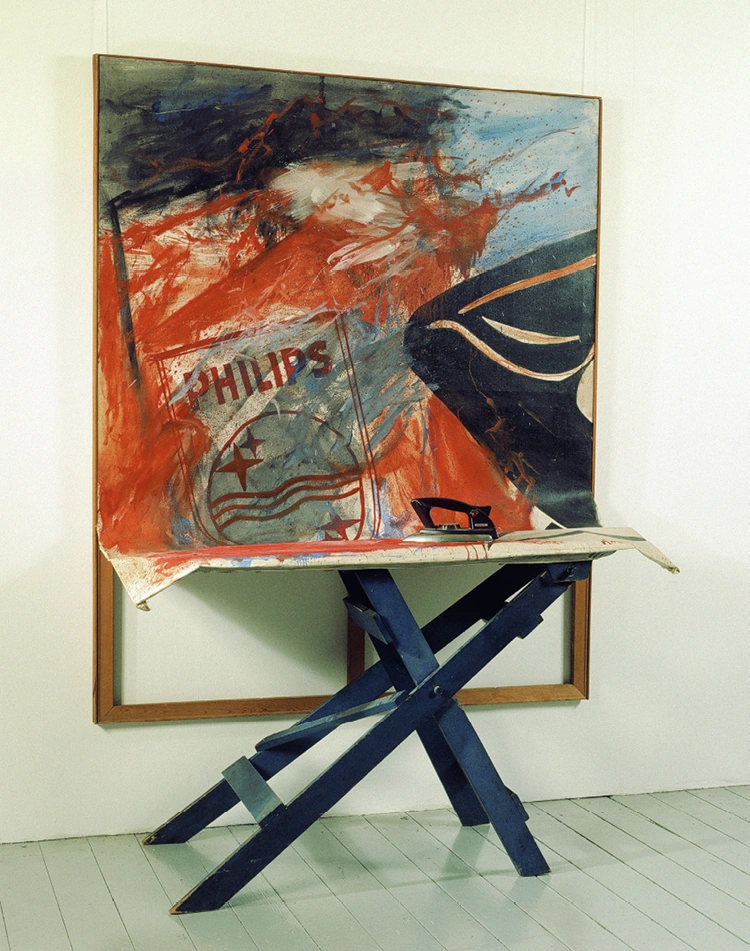
PHILIPS
1963-1970 | Mixed media | 170 x 140 cm
69
The most beautiful are the most irremediably sad I would have done the same
Memory is an instrument of appreciation and it can be used in different ways
Răzvan Țupa
Brancusi Bondage
With hands tied
with legs tied tightly we breathe
carefully Where do we
hurry
CALIBER
70
One day in our youth we carried a refrigerator up the stairs the others called it literature
In a room full of sounds bodies whose different parts do very different things
Like Derek Walcott quoted in Dramadol I admit a unique nation is called imagination
71
I was guilty this time it was very clear: the pleasure was all mine
Everything you imagine about me is true now but not only what you imagine
In Romania nobody makes the biggest noise it is normal: fools have to pay
Răzvan Țupa
CALIBER
72
(after wong kar wai) if it is too low I can’t resist the push down and vice versa
(Romanian Constitution) it’s official: if you want a family, the state fantasies you fixated on the opposite sex
– Răzvan Țupa
73
Brian Lucas
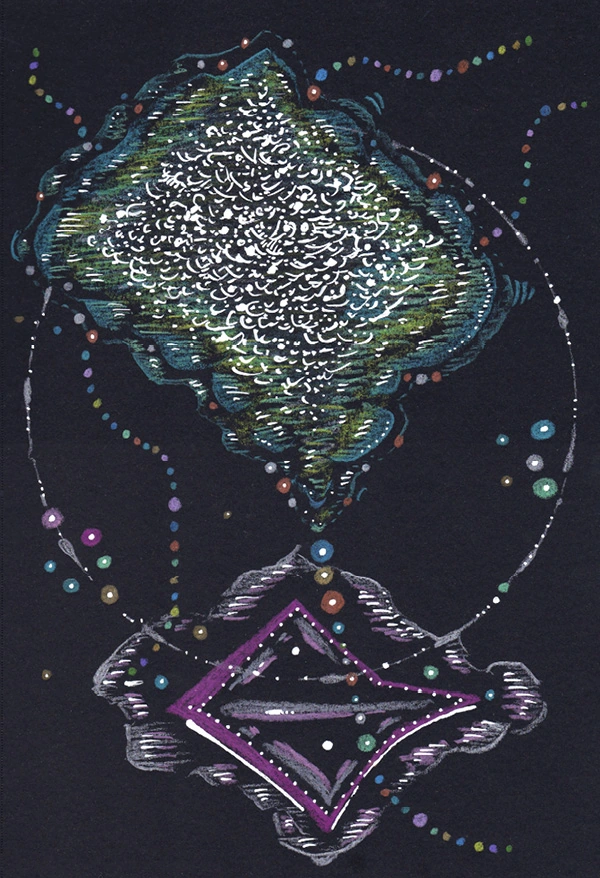
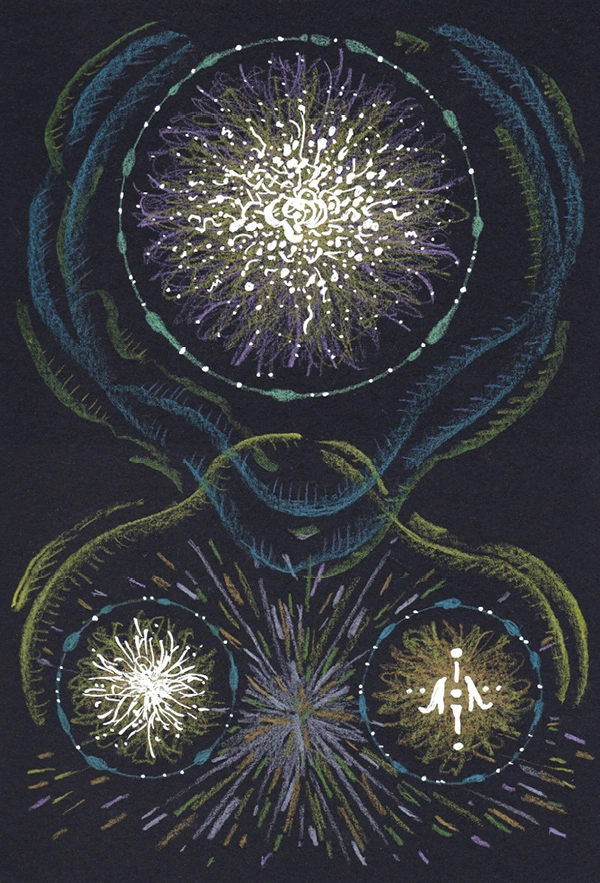
PHASES
2025 | 7x10 in. | Colored pencil and ink on paper

CALIBER
74
TWILIGHT MACHINES
2025 | 7x10 in. | Colored pencil and ink on paper
75
VESSELS
2025 | 7x10 in. | Colored pencil and ink on paper
Brian Lucas
CALIBER
76
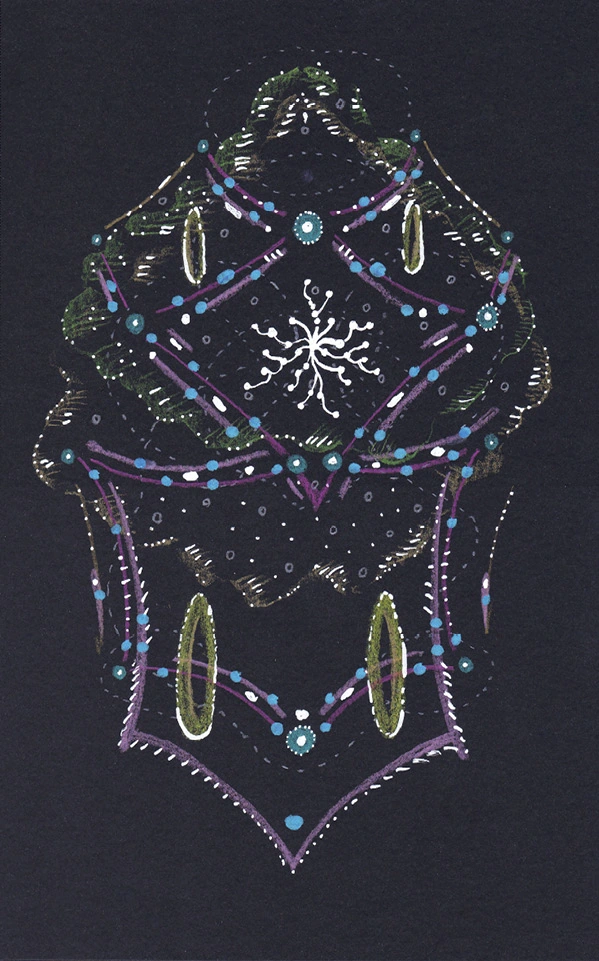
Temple oF WOBBLE
2025 | 7x10 in. | Colored pencil and ink on paper
77
Stash
Walking Through the Cemetery, Looking for Rimbaud’s Tomb
It’s been a long time since the bastards let me dream. I used to dream vast distances—with vistas that would make a sedentary man yearn for a life of peripatetic risk.
Now everything is closed. I can’t find my way around these tombstones. A maze of my own making. Everything I touch is some sort of plastic and lit like the McDonalds at death’s end.
There’s a group of pilgrims getting out of a green bus. On weekdays the bus moves Hassidic Jewish school children. On the Sabbath it moves the mentally handicapped. On Sundays cemetery pilgrims.
They’re on their way to lay flowers on the grave of St. Kennedy. I see a man exhuming the grave with a plastic spoon. St. Kennedy is to be moved to a more auspicious spot.
They call him St. Kennedy because research has shown that the old man, anonymous in his lifetime, had predicted the assassination of the president exactly fifty years before the event. He’s become the patron saint of prophetic vision in the age of skepticism.
The pilgrims carry Zapruder footage in their palmtops.
One of the ladies in the group wipes her eyes with a doily handkerchief, blows her nose in it, coughs, examines the sputum, puts her handkerchief back in her pocket, thinks about how her bodily fluids will fare when she rests here, smells the rose she intends to lay on St. Kennedy’s grave, and casts a furtive eyeball, the right one, at the gravedigger.
“Who’s here?” she asks, pointing to a nearby tomb crowned with briars.
“Jim Thorpe,” he says tapping the spoon on his teeth. “Here to see Ken."
CALIBER
78
“All of us are.”
“What’s his deal?”
“He preached the loss of innocence. Foresaw the collapse of a great culture. We haven’t figured out which one, but we have our suspicions.”
“I’ve always held group tours in contempt,” the gravedigger says. “Never went for the shepherd metaphor.”
“Who was Thorpe?” the woman asks.
“The patron saint of athletes. He was a star before they were worth their weight in endorsements.”
“I don’t get it.”
The dream continues. Only distorted like. Times change. The cemetery becomes a parking lot. Flowers give way to greeting cards. The bastards keep baring down on me. My prophets blow wind. I singe the hair out of my nostrils with a lighter and think: After me—the deluge.
“Jim Thorpe was an Indian,” the gravedigger says. “The Indians were massacred, wiped out. I’ve yet to hear anyone say I’m sorry.”
“That’s all St. Kennedy ever said,” says the woman. “He must have felt responsible for Dallas.”
“The Cowboys?”
“No. JFK. Lee Harvey Oswald. Vietnam.”
“That’ll all be forgotten in a generation. After the parking lot they’ll build a strip mall on this site. Symbiosis, you know.”
Then comes Africa, Indochina, pirates, gun smugglers, spies, opium dens, gangrene; all serving to sacrifice the muse Poesis on the altar of free happiness, the pursuit of speech.
One of the Kennedy group takes offense. Pierces me with a judgmental gaze. Lambastes me with colorful vowels.
“As if Rimbaud…”
There the subjunctive mood dissolves my ardor, then disappears. I imagine I should get on my way. It’s important that…
If they let me have my dreams, let me walk through the cemetery and worship my phantasms, let me rekindle the longing for a paradigm:
79
the image of a self-destructive rebel consuming himself with his own erroneous conception of I and prophetic breath. If…
Several members of the group demand that I show them exactly where St. Kennedy’s grave was and is going. No one can find it. The air is tinged with panic’s first burgeoning. One of the old men takes my arm and twists it behind my back with one hand. He’s waving the flag in the other. His skin is in the process of decomposition. I can feel my tendons stretching.
“All right now,” the old man says. “Put your demons on hold, press the pause button on your dreams and tell us where Kennedy’s buried.”
“You don’t understand,” I say.
“We know you came here to see St. Kennedy.”
I want to watch the women take their clothes off and dissolve into the earth with the men dismembering themselves and hurling their pieces into the empty grave. A mass slaughter to propitiate the dead martyr. Who died watching TV. I want a bloody spectacle in return for my heroic curse.
But no one takes her clothes off. No one dismembers himself. No one is in the cemetery and that’s who I need to see.
“I’m here to see Thorpe,” I say, feeling ridiculous. “They transplanted Kennedy to the mall across town.”
The group moves, en masse, holding hands like school children, out of the cemetery precinct, gets into the green school bus, leaves.
I sit with the gravedigger and recover my reverie. He pulls out a palmtop he stole from one of the group and clicks up a map of the cemetery.
“This is no topos we know of,” he says. “But it’s crucial to our being what I don’t know.”
“You really here for Thorpe?” I asked.
“No. It was the only athlete I could think of that somehow put the scandal of this place into boldface.”
“So who are you here for?”
“I’m just here to dig the map.” He invites me in with conspiratorial enthusiasm. “Look here: Nebuchadnezzar—prophet of necessary
Stash
CALIBER
80
dispersion. Next to him Akhenaton—prophet of manifold supremacy. Then Zarathustra—prophet of the gray area. Down on the edge there’s the Yama temple and refreshment stand. Scroll down a level and you’ve got Lear—prophet of equanimous bequeathal. Then Faust, chairman of the soul exchange.”
He holds the palmtop up to my nose. It smells like plastic and radiation burns.
“Fuck-ups, every one of them,” I say. “I’m gonna have to leave you here.”
“You’re not going anywhere,” he says.
“Why do you say that?” I say.
“This is where you belong.”
“But I came here to see someone else, someone other, some I, not quite good… just like me.”
“It’s all here now,” he says, pointing to the active matrix screen.
And the dream kicks in again. Changes gears. It lets me. I’m moving. I’m in flight. I’m alone, on the road. I stop at a gas station to fill up, and a green bus full of pilgrims pulls up behind me.
– Stash
81
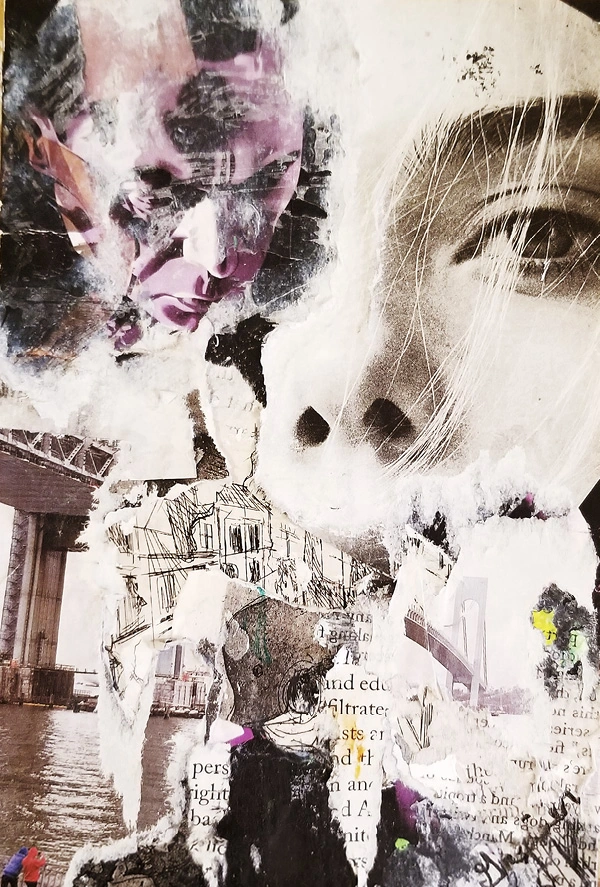
John Grenier
A VIEW OF A BRIDGE
Collage on paper
CALIBER
82
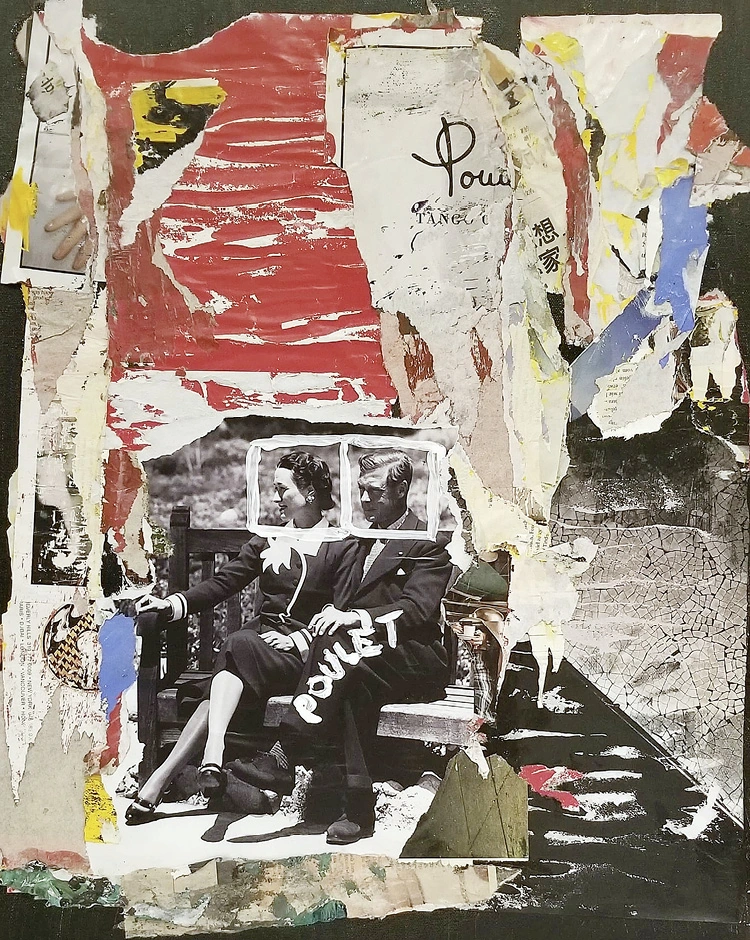
POULET
Collage on paper
83
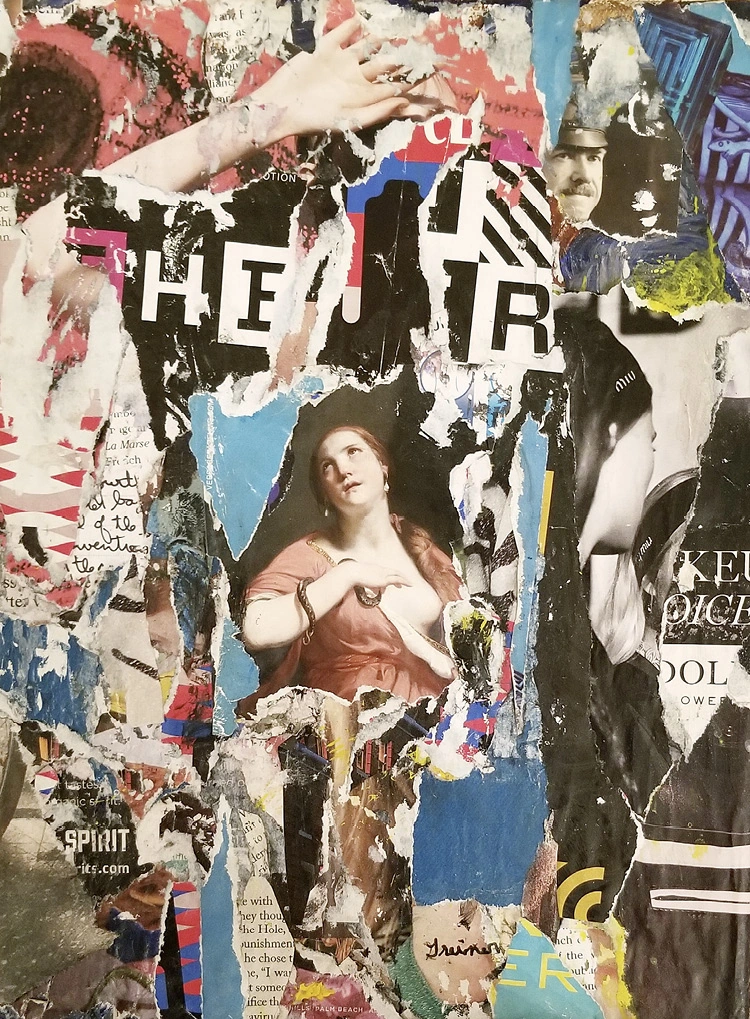
ROPE WISH
Collage on paper
CALIBER
84
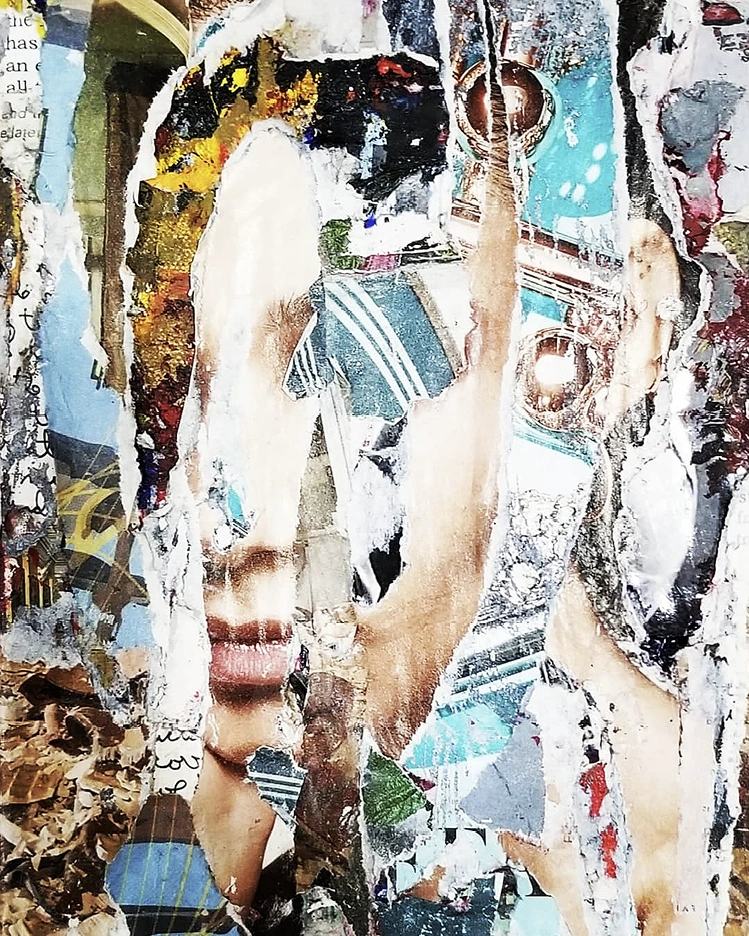
CLEAN HEAT
Collage on paper
85
Allen Sheinman
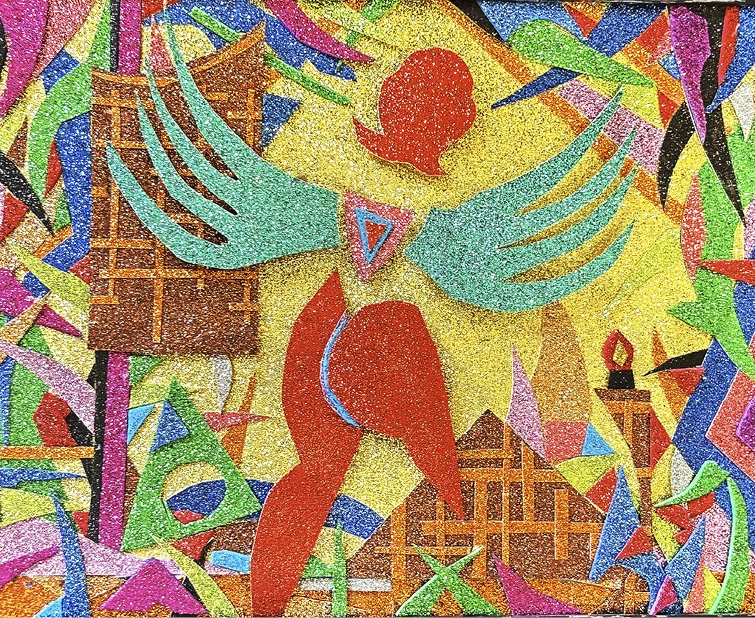
Long-Gone Angel of the Kitchen
2020 | 7 1/2 x 9 1/2 in. | Glitter paper on cardboard
CALIBER
86
Golden Girl
2017 | 11 1/2 x 11 1/2 in. | Glitter paper on cardboard
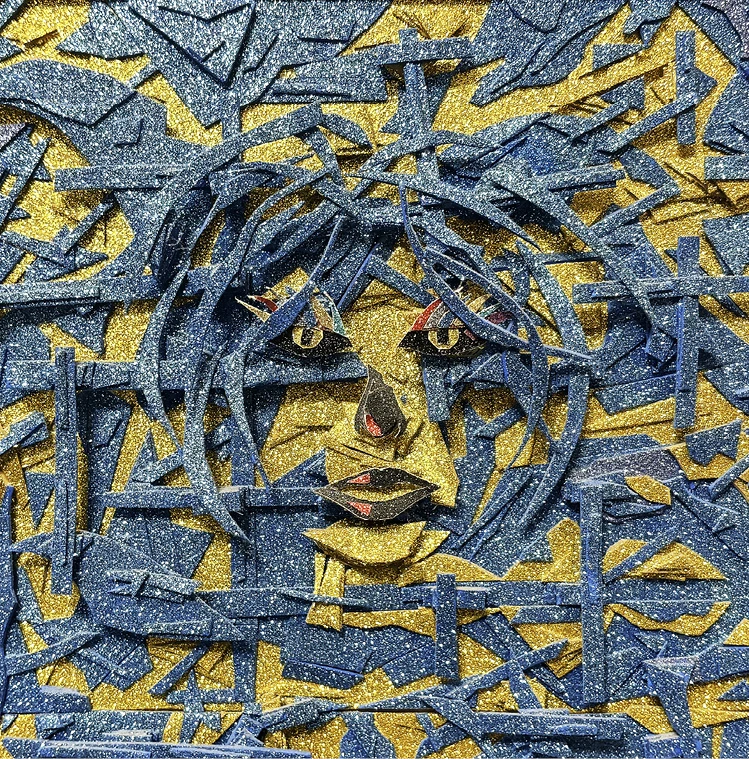
87
The Inside Dope
2021 | 7 1/2 x 7 1/2 in. | Glitter paper on cardboard

Allen Sheinman
CALIBER
88
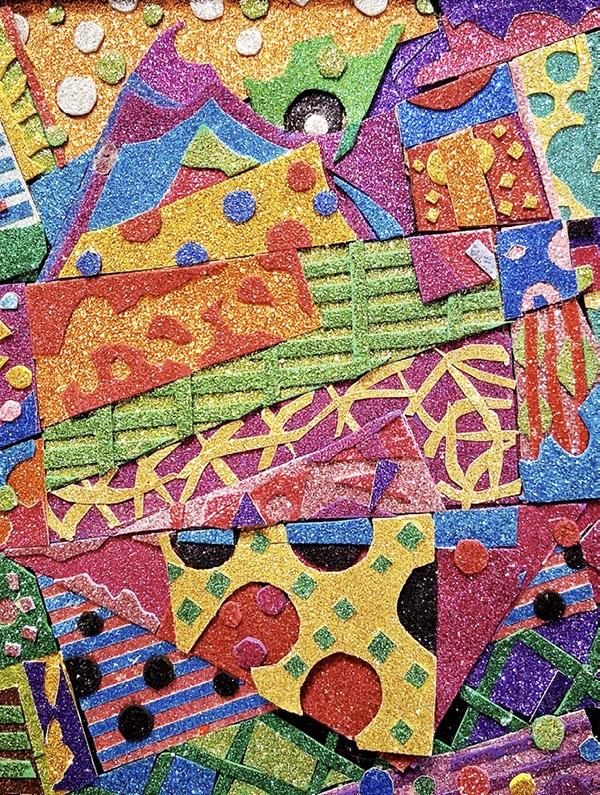
The Birth of Mercy
2023 | 9 1/2 x 7 1/2 in. | Collage on cardboard
89
Yuko Otomo
TEDUCATION (re)discovered for the first time: Past/Present/Future
The poet’s job is not just to write a good poem out of life, but to live life as a poem.
To live a Poem-Life.
Ted + Education = TEDUCATION. Ted Joans was an eternal teacher/student with abundant and limitless curiosity for anything marvelous. He gave us one of the most precious and important lessons on being a poet. He taught us not to curse using the word “fuck”: a sacred word for “love making” and also not to filthy our sacred pen tips writing any undeserved corrupt politicians’ name even for protest’s sake. He took his cosmic role of being a poet with a deep seriousness.
CALIBER
90
If my late husband the poet Steve Dalachinsky was still with us, he and I would be co-writing this essay together. He is the one who discovered Ted Joans through a sweet (Le Roi/Ted) “Jone/Joans” mistaking incident when he was young in the 1960s. He felt empathetic to Joans’ work immediately and began collecting his books. But it took a long time for him to finally meet Ted in person. It was in 1979. I had no idea who he was till then. The actual meeting was so inspiring that we all instantaneously fell in love with each other. Sharing love for poetry, Jazz and art in common, our friendship deepened over time.
He moved to Paris in the late 60s from NYC but he never lost the connection to the city and he paid regular visits here. He had a routine to his NYC visit. The first thing he did was to go up to Harlem to get two of “the Best Sweet Potato Pies.” Then, he directly visited Charles Henri Ford to gift him one pie and came down to see us with the 2nd pie. He kept half of it for himself and gave us the 2nd half. While he was here in the city, he stayed in his old friend’s apt. from the Beat days on MacDougal St. We went to see many art shows, hear music and to other cultural events together. Everywhere we went, we met many people who knew him. As Steve wrote in his poem “Ted Joans,” he knew everybody and everybody knew him. But, ironically, the world was still totally oblivious to who he was.
Ted Joans is not unknown, but he is not known either. He has been gone over two decades. But, it is as if seeds planted a long time ago have finally germinated to sprout to grow; the legacy of Ted Joans is blossoming now. There is more and more genuine curiosity about him and I am delighted to witness how the world is finally awakening to TEDUCATION. There was a solo exhibition of his drawings at the Virginia Museum of Fine Arts last June. As I write, currently two major art institutions, MoMA in NYC and Pompidou Ctr. (* He preferred to call it “Ctr. Beaubourg” instead for his aesthetic principle) in Paris, are showing his exquisite corpse works. MoMA has “Long Distance” and Beaubourg has others, mainly to celebrate the centennial of the first Surrealist Manifesto of 1924. How perfectly surreal it is because he was a surrealist since he was a young teenager. “Long Distance” has a legacy of its own. It was officially shown first at The
91
Met/Tate collaborative exhibition “Surrealism Beyond Borders” in 2022 in NYC. It was a research show on the global explosion of the movement. Each country or region was given a separate specific display according to geography. How fascinating it was to see that Ted was the only solo artist who was presented in an individual room of his own which was set as the “last exit” of the show. Every viewer had to go through Ted Joans room to exit the entire exhibition. There, “Long Distance” was a major star among other rare art works of his. Why was this special treatment for him? A big question. Simple and honorable. It is because he was the only human [we knew] who literarily lived the life of a Surrealist not in his head alone but in the flesh all through his life. He was living proof of its philosophy. He did not just write poems or make art based on its ideas, but he really LIVED it. “Long Distance” is solid evidence of his surreal life. It traveled to Tate Modern after the Met and was purchased by MoMA to join their Surrealism collection. MoMA made a fabulous centerfold display of “Long Distance” in their catalogue of “Vital Signs” of which it was again the main star of the entire exhibition. I am delighted to have witnessed its journey finding the perfect home in the end. How fascinating it is to remember that we used to joke around predicting what might happen! He was never a careerist. On the contrary, he was a proud non-careerist. Being a careerist didn’t fit to his TEDUCATION philosophy of “A Life as a Poem.”
To my delight, the last unknown field of his Super 8 films (of which he called “Silent Poems”) are getting digitalized finally in preparation for a museum show in Europe. He used to say sweetly that Steve and I were his Silent Poems superstars! Ironically, he himself had seen these Silent Poems on only a few rare occasions. I wrote two long memoir pieces for him on line, in 2015 and 2017. In both, I mentioned how the world was still sleeping regarding him. But now almost 10 years later, he is the coolest hottest artist to “(re)discover.”
He was against the money cult that humanity has been devoured by and had an extremely modest life style. We once visited his last residence in a Paris suburb. It was so austere that it reminded me of a medieval monk’s quarters. One small cot, a small sink and the rest of
Yuko Otomo
CALIBER
92
the space was occupied by many neatly organized boxes of his archival materials. In Paris, he had no phone. So, in order to be in touch with him, everyone left notes at Shakespeare & Co. Bookstore near Notre Dame or at Café La Roquet at the far end of St. Germain. With Paris as a base, he traveled all over Europe. In Africa which he called his mother land, he had a mud house in a village in Timbuktu. He moved there in winter to escape Paris’ cold weather. With his mud house as a base, he went everywhere in the continent. He is the only black American poet to live such an adventure. He brought me back sand from the Sahara Desert from his last trip there which I cherish as one of my personal treasures.
Before anything else, he was a surrealist as I mentioned earlier. His definite creative artistic genesis took place when he was still a teenager. He was introduced to Surrealism through the magazines his aunt brought home from the white people’s home where she worked. This baptism ignited the whole existence of young Theodore Jones, born on a riverboat on July 4, sharing the same birth date with Louis Armstrong and America’s Independence. Jazz was indeed his religion and his love. His involvement was extremely deep. He was a close friend of Charlie Parker and he coined the famed expression “Bird Lives!” when Charlie Parker passed away. He was the first to write a review on Albert Ayler. But he always emphasized the fact that he was a surrealist first before anything else and the rest followed. When he moved to Paris, Andre Breton embraced him immediately as the first “Black American Surrealist.” Ted was also a major figure connecting surrealists in Africa with the global geography.
Ted Joans was literarily larger than life. His oeuvre is huge. I was one of the interviewees for a new biography on him which is coming out in 2025. Many more unpublished works including his autobiography and many more yet unseen art works are waiting for the world to discover. I am very anxious to see how TEDUCATION will blossom further into the future.
– Yuko Otomo
93
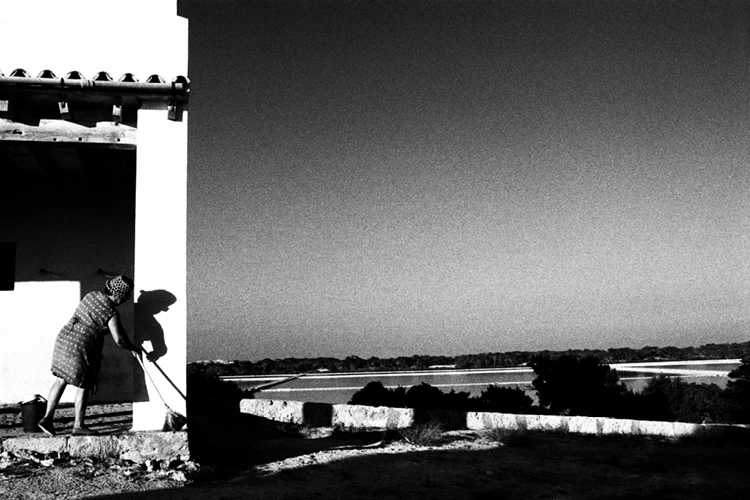
Melba Levick
Lady sweeping
1971 | Formentera, Salt flats, Formentera (Balearic Islands), Spain
CALIBER
94
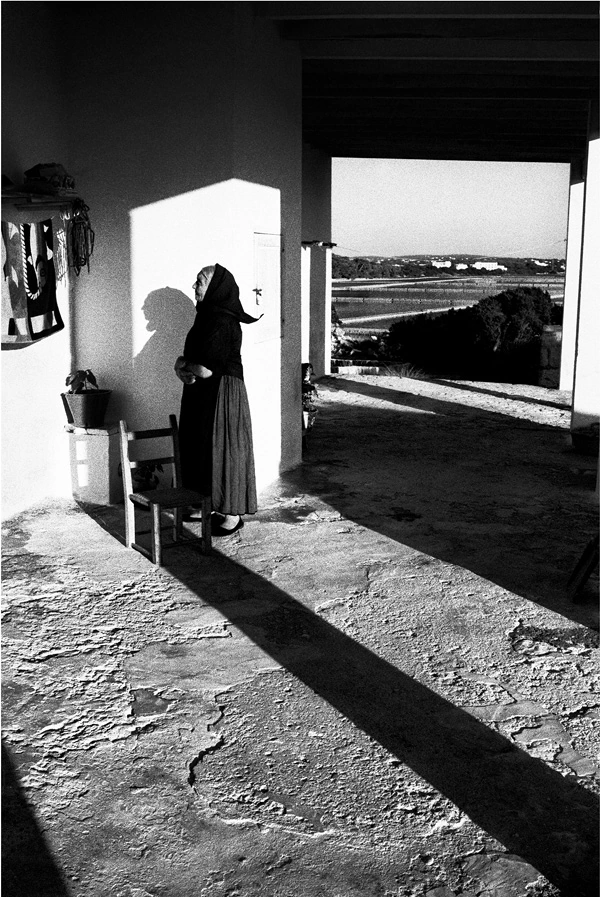
Lady looking at cisterna
1971 | Formentera, Salt flats, Formentera (Balearic Islands), Spain
95
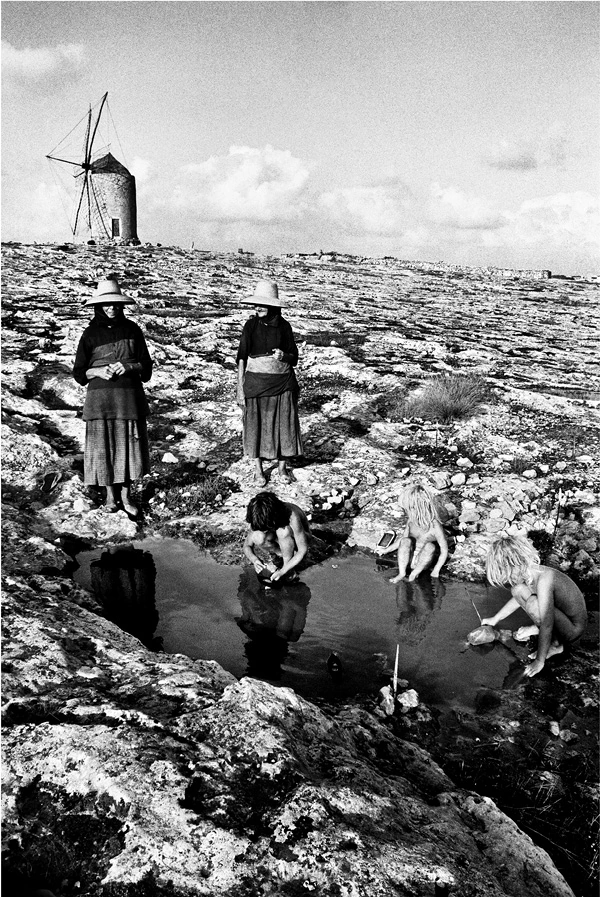
Kids and ladies on moonscape
1971 | Formentera (Balearic Islands), Spain
Melba Levick
CALIBER
96
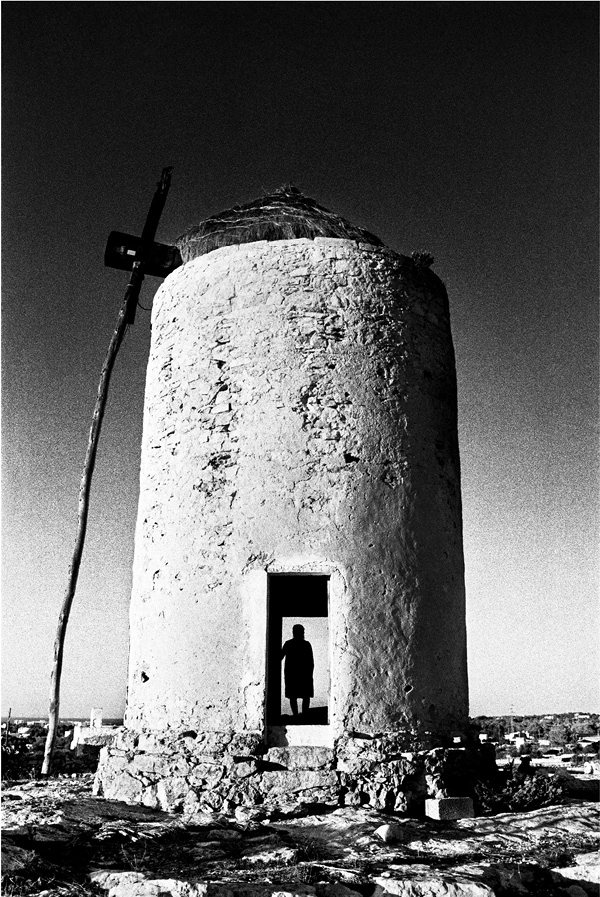
Mill with lady in doorway
1971 | Formentera (Balearic Islands), Spain
97
Decebal Scriba
Vegetal World
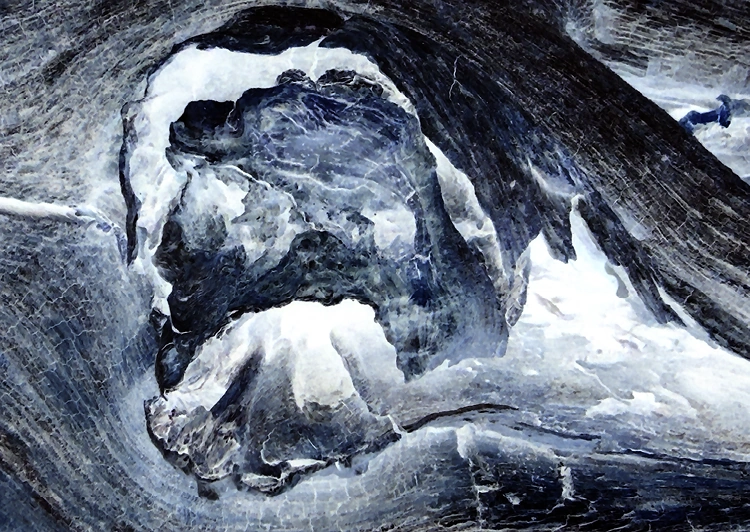
VW #02-(3029)
CALIBER
98
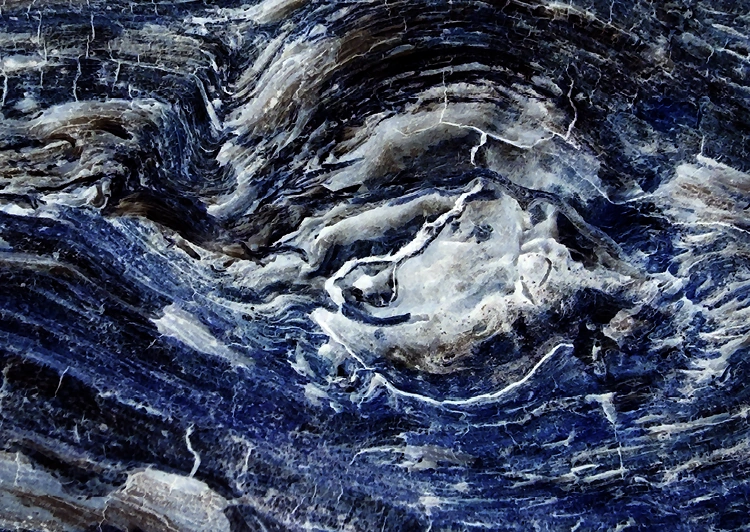
VW #04-(3031)
99

Decebal Scriba
VW #03-(3030)
CALIBER
100
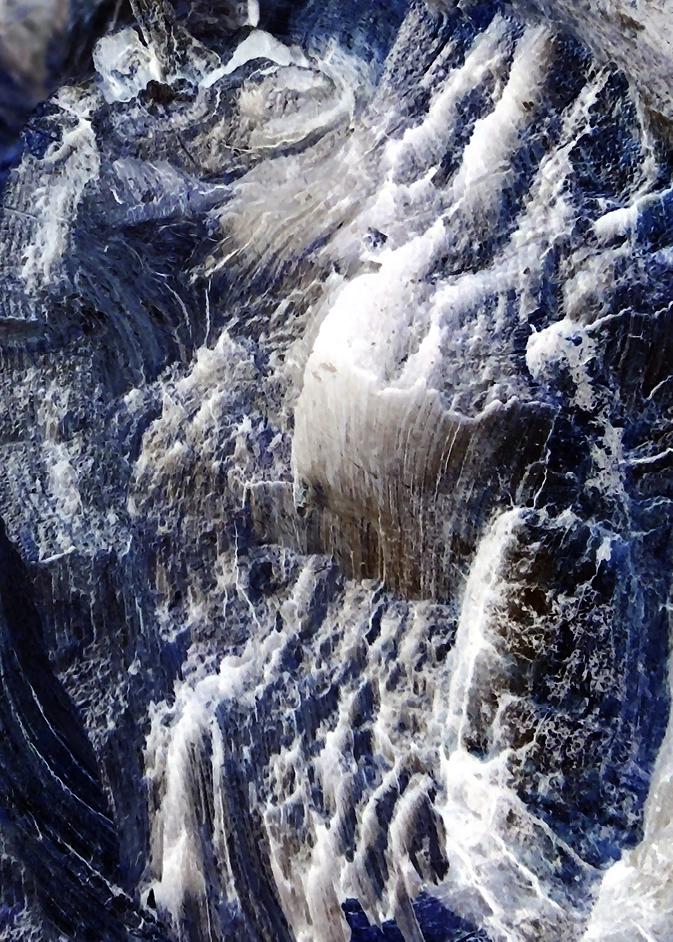
VW #01-(3025)
101
Biographies
Woody van Amen
Woody van Amen, born 1936 in Eindhoven, Netherlands, is among the most prominent artists in the Netherlands. From the Pop Art culture of the 1960s, which brought him to notice, to his collages, three-dimensional assemblages using a variety of industrial materials, sculptures and paintings, he has sustained an avant-garde presence internationally. His travels to Indonesia, SE Asia, and other countries have largely inspired his work. He currently lives in Rotterdam where he continues to create in his studio.
Blanca Andreu
Blanca Andreu was born in A Coruña, Galicia, Spain in 1959 and grew up in Orihuela, Alicante. At the age of 20, she moved to Madrid and began her literary career. Presently, Andreu resides in A Coruña where she “lives an ordinary life.”
In 1980, Blanca Andreu published her first collection of poems, De como una niña de provincial se vino a vivir en un Chagall (On How a Provincial Child Came to Live in a Chagall), which was awarded Spain’s Adonais Prize for Poetry the same year. In 1982, she published her second collection, Báculo de Babel (Babel’s Baculus), for which she received the Fernando Rielo World Prize for Mystical Poetry. Her other works include Capitán Elphistone (1988), El sueño oscuro: poesía reunida 1980 – 1989 (1994), La tierra transparente (2002), and Los archivos griegos (2010).
Andreu’s publication of De una niña disrupted Spanish poetics, paving the way for a new generation of writers known as the postnovismo generation. The poems in De una niña are marked by their abrupt shifts in ideas, juxtapositions of seemingly disparate images, oneiric qualities, and other literary techniques employed by surrealist poets. Andreu contemporizes Surrealism in her work and dialogs with past influences, including Baudelaire, Rimbaud, Saint-Jean Perse, and García Lorca. But especially present is Surrealism’s subversive force to defy social, cultural, and political norms. In De una niña, Andreu confronts not
CALIBER
102
only the male-dominated discourse over society and culture during the time of Spain’s transition to democracy but also the lack of female representation and influence within the surrealist movement.
Joseph Ellison Brockway
Joseph Ellison Brockway is a poet, collagist, translator, and educator interested in Latin American Surrealism and Puerto Rico. He holds a Ph.D. in Literary Studies and Translation from The University of Texas at Dallas and teaches Spanish at CT State Community College Tunxis in Farmington, Connecticut. His translations include Island Mythical Coffer by Spanish surrealist Eugenio Fernández Granell and poems from Las mujeres no hablan así (That’s Not How Women Talk) by Nemir Matos-Cintrón. Joseph’s poetry appears in various print and online publications, including Surreal Poetics, SurVision Magazine, Queen Mob’s Teahouse, and Burning House Press.
Joseph’s full-length collection of poetry and art, Beautiful Corruption, is a poetic exploration of the world through a distorted lens. The art and poems disorient the senses, provoke disgust and pleasure, challenge convictions, and question reality and existence while guiding the reader through a mental and visual transformation, a “beautiful corruption”.
James Brook
James Brook is a longtime inhabitant of the San Francisco Bay Area. His poems have been published in City Lights Review, New American Writing, Poésie, Volt, and other journals. His translations include works by Guy Debord, Jean-Patrick Manchette, Henri Michaux, Gellu Naum, Benjamin Péret, and Victor Serge. He was the principal editor of Resisting The Virtual Life: The Culture And Politics Of Information, and Reclaiming San Francisco: History, Politics, Culture.
Miguel de Carvalho
Miguel de Carvalho is an antiquarian bookseller, publisher of Debout Sur l'Oeuf (DSO editions), poet, object maker and collagist. He has published poems, essays and images in the Surrealist magazines
103
Biographies
A Phala (Brasil), Quimera Que Passa (Brasil), Hydrolith (USA), Brumes Blondes (Holland), Infosurr (France), Supérieur Inconnu (France), Cahier De L'umbo (France), Halo (France), Lithaire (France) Tortue-Lièvre (Canada), Styxus (Rep. Checa), The Annual (USA), Patricide (UK), Peculiar Mormyrid (USA) and Derrame (Chile). He also published in the Portuguese magazines Debout Sur L'oeuf, Cão Celeste, Telhados De Vidro , A Batalha, and A Ideia. Along with Rik Lina, he is a founding member of the collective automatic painting and poetry group Cabo Mondego Section of Portuguese Surrealism, which gathers national and international poets and painters. Since 2005 he has participated in International Collective exhibitions connected to the Surrealist movement and took part in the last exhibition of the group PHASES in Santiago (Chile, 2005). He organized six international exhibitions on Surrealism in Portugal (2008, 2009, 2016, 2024) and one in Spain (2025). He held individual exhibitions of collages in Prague (Jardins Nocturnos, 2011), in Coimbra (No Princípio Era O Verbo, 2015; Faróis De Sangue, 2016), in Porto (Faróis De Sangue, 2016; Luminescências Latejante, 2025). In HALO nº2, edited by Venus d’Ailleurs, a long interview with him appears. He also appears in the Almanach of the International Surrealist Movement Ce qui sera (What will be) Lo que será and with Arturo Schwarz for the large book, Surrealismo leri e oggi (ed. Skira, 2014). He also published several written and visual poetry schapbooks. He lives on the beachside at Figueira da Foz.
Brian Cullman
Brian Cullman is a writer and musician based in New York. His first book, How To Prepare For The Past, will be published by ZE Books in the spring of 2026.
Jan Giliam
Jan Giliam, born in Rhenen, Netherlands (1965), discovered his artistic voice amid the vibrant landscapes of Curaçao, where he spent his formative years after moving to the Caribbean at age three. While formally trained as an art and mathematics teacher in Amsterdam (1983-1989), his artistic journey has been shaped by an intricate dance between structured observation and serendipitous discovery.
Giliam’s work spans multiple media, including colored pencil draw-
CALIBER
104
ings, acrylic and oil paintings, and fused glass panels. His abstract yet figurative pieces are characterized by their lyrical quality and rich color palette, often inspired by his deep connection to nature, in particular the underwater world. For a decade following his studies, he made annual pilgrimages to Bonaire, where diving experiences continued to form his artistic perspective.
The intersection of pattern and chance plays a central role in his work, as evidenced by his current selection of pieces exploring calibration. These works include ”Scribe Beetle Artwork”, which captures nature’s mathematical precision in tree bark patterns, and “Citydive”, a mixed media piece merging urban and aquatic landscapes. His “Self-Portrait as Green Man”, created from found plane tree bark, and the oil painting “Meta” further demonstrate his ability to find meaningful connections in seemingly random arrangements.
Currently exhibiting in intimate galleries across Curaçao and Amsterdam, Giliam’s work continues to evolve through collaborative exhibitions, including an upcoming show with international surrealists in Santiago de Compostela, Spain. His artistic practice embodies the very essence of serendipity – the art of making fortunate discoveries while looking for something else. https://www.jangiliam.nl/
Allan Graubard
Allan Graubard (poet, writer, playwright, literary critic and curator of art). Allan’s most recent book, Sun Step Black Lake (Broken Sleep, UK, 2023), in collaboration with artist John Welson, was recently published in French translation as: Foulée Soleil Lac Noir (Les Éditions Lpb, Paris, 2025). Other notable titles include Western Terrace (Exstasis Editions, Victoria, BC) in collaboration with artist Gregg Simpson, Language of Birds (Anon Editions, NY/Flagstaff) in collaboration with artist Rik Lina, Into the Mylar Chamber: Ira Cohen (Fulgur Press, UK), A Crescent by Any Other Name, (Anon Editions, NY/Flagstaff), and more. He lives in Manhattan with his wife, Carolyn McGee.
John Grenier
John Greiner is a writer and visual artist living in New York City. Greiner's work has appeared in Antiphon, Sand Journal, Otoliths,
105
Biographies
SurVision, Sein und Werden, Empty Mirror, Sensitive Skin, Unarmed, Street Value, and numerous other magazines. His books of poetry include: In An Attic Palace Beneath a Slaughtered Sky (Arteidolia Press), Circuit (Whiskey City Press), Turnstile Burlesque (Crisis Chronicles Press), and Bodega Roses (Good Cop/Bad Cop Press). He is one of the 2024 recipients of the James Tate Award for his chapbook, Clouded Saints and Kinky Shadows published by SurVision Press.
Eric Laverty
Eric Laverty is an artist and photographer from Detroit, Michigan. He studied as a guest student (Gasthörer) in Gerhard Richter's class during the German painter’s final years of tenure at the Kunstakademie Düsseldorf.
Before his five-year residency in Germany in the early 1990s, Laverty studied photography with Jim Dow at the School of the Museum of Fine Arts, Boston and Anthropology at the University of Michigan.
Laverty lives and works in Brooklyn. He is a 2025-27 Artist in Residence at Art Cake in Brooklyn. His photography, photographic collages, and painting have been exhibited in Boston, Düsseldorf, New York, and Brussels, and are held in private collections in the United States, Europe, and Japan.
Laverty’s exhibitions include: Disguise the Limit | Curated by John Yau produced by M. David & Co @ Art Cake, Brooklyn, NY; Finissage Sammlung Peter Zimmer @ Sammlung Peter Zimmer, Düsseldorf, Germany; Structural Catabolism - Photography from the Built Environment @ Akcent Gallery, Brussels, Belgium; Structural Catabolism - Photography and Painting from the Built Environment @ DLG Gallery, New York, NY; Bitte Gedulden Sie Sich einen Augenblick! - Recent Painting @ Gallerie Laden 33 in cooperation with Deutsche Telecom, Düsseldorf, Germany. https://ericlaverty.com
Melba Levick
Melba Levick began her career as a photographer in Paris, France in the early 1970s, having studied photography at the San Francisco Art Institute and with Perkle Jones, Ansel Adam’s printer.
CALIBER
106
Initially, she did black and white fine arts photography, which was exhibited frequently in Paris, Barcelona and New York, often in conjunction with her books (now numbering over 60, Rizzoli International her current publisher, among others). Her photographs have been made part of the collection of the Biblioteque Nationale in Paris and featured in magazines worldwide.
She is best known for her books on California homes and gardens, her books on Gaudi and the “modernismo” era in Barcelona, the Mexicolor collection, and her three books on India: India Sublime (Rizzoli), Indiacolor (Chronicle Books), and South India: A Mosaic (Roli Books).
Ranches Of California, which was signed at the Musee des Arts Decoratifs in Paris, California Missions, The Spanish Style House, and Casa Santa Fe were her most recent works with Rizzoli International. Nazraeli Press published her fine arts book Mission San Miguel, in 2023.
Her most recent exhibitions were Gaudi (Hegoa Gallery, Paris, 2017), Momentos Lejanos (2011) and Formentera Per Sempre in 2018, both in Formentera, Spain.
She lives and works, with her husband, writer and composer Hugh Levick, in Venice Beach (Los Angeles), Paris, France and Formentera as much as possible every year.
“Melba Levick’s work is characterized by its sensuality, its precision, its composition, and its treatment of light. Most of her work is in color, and her mature work evidences a thoroughly thought-out mise en scene with not a single detail left to chance. Everything is calibrated to the millimeter so that by the time she has finished a magical and absolutely singular moment has been created.” melbalevickphotos.com
Brian Lucas
Brian Lucas has exhibited at Electra Gallery (Santa Fe, NM), Center for New Music (SF), Airesis (Guadalajara, Mexico), Planthouse Gallery (NYC), Emerald Tablet (SF), and Krowswork (Oakland), among others. As a musician he’s released several albums on labels including Feeding Tube Records, Cardinal Fuzz, Centripetal Force, and Eiderdown Records. He resides in Oakland, CA.
107

Francine Hunter McGivern
For over fifty years, Francine Hunter McGivern’s has developed a Post-Conceptual practice spanning performance, video, text, multi -media installations, drawing, painting and sculpture.
Inspired by Warhol’s Factory, in 1977 she founded Jungle Red Studios in Tribeca. Working under the nom d’art, “Jungle Red” she became a legendary figure in the New York underground. Notorious for it’s theatrical flair and “bordello in the daytime” atmosphere, Jungle Red attracted leading players in art, fashion, music, & media. Her life and work have been widely documented.
From 1981-1988, Hunter McGivern created performative tableaux vivants, embodying iconic women of power and allure. Documented by Nan Goldin, Laurie Simmons and other photographers, the series was exhibited in 2005 in a Jungle Red retrospective at Camera Oscura in Italy. In 2018 Hunter McGivern’s 40 Year retrospective at Hudson Hall titled; “Episodic Memory | 1977 – present,” received stellar reviews.
Hunter McGivern’s early performance works explored feminist sexual anthropology, grounded in her earlier life in burlesque, and subsequently as a sex worker, including: “Night School” (1979), “Victory in a Void” (1990-1992), “Latex Labor” (1978), “The Shoe Fetish Show” (1982), and “My Body Paints, My Brain Bleeds” (1992-1994).
From 1989 -1997, following profound losses during the AIDS epidemic, Hunter McGivern lived in Positano, Italy. Her years on the Amalfi Coast, amidst the powerful volcanic energy, produced a transformative process for framing spaces that has evolved into her present practice.
Diagnosed with epilepsy at age six, Hunter McGivern counted interior grids and geometric forms as an exercise to perceive space, thus allowing her to re-enter her physical form. These out-of-body seizures are the roots of her creativity and guided her research into the Hermetic. Metaphysics, geometry and numerology, as ciphers, continue to determine her practice and process.
In 2011, Hunter McGivern rebuilt a 15,000 square-foot building, in Linlithgo, New York, and founded CR10arts, a curatorial project investigating the role of the kunsthalle in the 21st Century. From 2012-present, she invited over 100 artists to exhibit site-specific installations, performances, films & video.
CALIBER
108
Paul McRandle
Paul McRandle is a writer and editor, whose recent work includes Hieroglyphic Nomad (Phasm Press, 2020), a poetic travelogue in collaboration with the artist Kirstin Chappell. His fiction, poetry, and essays have appeared in Hyperion, Peculiar Mormyrid, The Philosophical Egg, Under/Current, American Book Review, Rain Taxi, New England Review, and elsewhere. He co-edited Nigredo and Aerial Archipelago, edits the blog Surrealist NYC, and served as the arts editor for the journal 3rd bed. For years he has participated with other surrealists and fellow travellers on various international events, publications, and projects.
Valery Oisteanu
Valery Oisteanu is a poet, writer and artist. Born in the USSR (1943) and educated in Romania, he adopted Dada and Surrealism as a philosophy of life and art in the early 1960s and immigrated to New York City in 1972. He has authored 20 books of poetry as well as a forthcoming collection of essays titled The Avant-Gods. The recipient of the Kathy Acker Award (2013) for contribution to the American avant-garde in poetry performance, he takes part in theatrical and other poetry-musical collaborations with jazz artists from around the world in sessions he dubs “Jazzoetry”.
Yuko Otomo
A visual artist & a bilingual writer of Japanese origin. She writes poetry, haiku, art criticism, travelogues & essays. Her most recent publications are Anonymous Landscape (Lithic Press), In Delacroix’s Garden: a collaborative book with Basil King (Spuyten Duyvil) & PINK (Lithic Press). She lives in New York City.
Seixas Peixoto
From 1978 on Seixas Peixoto has presented in over 70 solo exhibitions and 100 collective exhibitions and appears in numerous museums and private collections in Portugal, France, Spain, Brazil, Cabo Verde and elsewhere. He is a principal member of the very active Cabo Mondego
109
Section of Portuguese Surrealism with whom he collaborates, among others, in exhibitions, publications, and public events.
Hans Plomp
Hans Plomp (1944-2024), born in Amsterdam, was a Dutch writer, playwright, and poet, who emerged in the 1960s as a key figure in the anti-capitalist, anarchist PROVO movement. He was also an animator of the Ruigoord colony near Amsterdam, which continues today, much do to his work to preserve it, as a free space for artistic experimentation and living. His novels, poetry, plays and essays were deft contributions to Dutch literature, critically acclaimed and well recognized. In English, his poems appear in the book Nine Dutch Poets (City Lights, San Francisco, 1982). He was a founding member of the Amsterdam Balloon Society; a performance group of musicians, poets, artists, clowns and activists operating in and from Ruigoord. His last book, The Art of Dying, is a testament to his love of life and embrace of its end.
Daniel Rothbart
Daniel Rothbart holds an MFA from Columbia University. He is the author of three books: Jewish Metaphysics as Generative Principle in American Art (1994), The Story of the Phoenix (1999), and Seeing Naples: Reports from the Shadow of Vesuvius (2018). The latter book derives from his having lived in Naples as a Fulbright Scholar in the early 1990s. There, he explored the city’s diverse monuments, neighborhoods, islands, and hinterland. Through friendships and dialogues with Neapolitans, he gained deeper perspective on the colorful history and culture of this ancient port city. Memories comingle with historical discussions and cultural observations that draw the city into focus.
Rothbart’s studio projects are numerous, including: RamleAnthropocene, the Pool of the Arches / Center for Contemporary Art Ramle CACR, Ramle, Israel; Water Clocks, Hudson River / The Hudson Eye, Hudson, New York; Flotilla, Oakdale Lake, Hudson, New York; Inscrutable Theologies, Saint Elisabeth Church / KUNSTWECHSEL, Aachen, Germany; STREAMING II, The Frank Institute @ CR10, Linlithgo, New York; The Rumsey Street Project, Grand Rapids, Michigan; Air de Venise, Venice, Italy; and WATERLINES, Galerie Depardieu, Nice,
CALIBER
110
France. He has exhibited in Ventisette artisti e una rivista, Galleria Nazionale d’Arte Moderna, Rome, Italy; Citydrift, Momenta Art, Brooklyn, New York; But I’m an American, Belgrade Cultural Centre, Belgrade, Serbia; End of Language: Wittgenstein Reimagined, Museum of Contemporary Art Belgrade MoCAB, Belgrade, Serbia; and Meditation | Mediation, Life is Art Foundation, New Orleans, Louisiana. Rothbart has also exhibited at Andrea Meislin Gallery, Exit Art, WhiteBox Contemporary Art Center, and the LAB Gallery in New York City, among other noted venues. His work can be found in public and private collections, including the Museum of Modern Art in New York. His work is the subject of a monograph by Enrico Pedrini published in 2010 by Ulisse e Calipso of Naples, Italy.
Decebal Scriba
Decebal Scriba (b. 1944, Romania), lives and works in Fontainebleau-Avon. A Romanian artist who arrived in France in 1991, Decebal Scriba distinguished himself during the 1970’s and 80’s as a leading figure in contemporary art. His work is now considered emblematic of a post-war Romanian avant-garde. Through a coherent body of work developed using diverse media – photography, installation, performance, and video art – the artist explores conceptual and performative art, questions of formal and textual language, spatial representation, and the symbolism of gestures and forms. The sign is omnipresent in his work, referring to handwritten, bodily, mathematical, and even religious language. It thus becomes the vehicle for philosophical and political reflections, questioning our relationship to others and to art.
In the 70's and 80's Decebal Scriba used the image as an evidence of a conceptual axiom. Now an invading horde, the pervasive image in our lives gives photography a prodigious ubiquity and a key place in the practices of everyone. Traditionally considered as the reproduction of reality, the photographic image as practiced by the artist is today decomposed, recomposed, questioned. For Decebal Scriba, this document of daily life is not a marker of reality. It is the tenderized hunt for a detail that has symbolic, metaphorical, and poetic power.
The artist is represented by Anne-Sarah Bénichou Gallery in Paris (https://annesarahbenichou.com/fr/artistes/bio/4152/decebal-scriba). His works can be found in public (Centre National des Arts Plastiques, France and Romanian National Museum of Contemporary Art)
111
and private collections in France, England and Romania.
Allen J. Sheinman
Allen J. Sheinman is a New York City-based artist and writer/editor who began drawing as a child in the mid-1960s. Most of his work was done in a series of more than 20 artist’s books created over 40 years, mostly collages and drawings, until 2013, when he broke out of the book format to do work in frames and quickly adopted glittery craft paper from Michael’s art stores as he preferred medium.
Stash
Stash Luczkiw, born and raised in New York, is a poet, fiction writer, translator and journalist living between Italy and Ukraine. He currently works as editor for Kyiv Post.
Răzvan Țupa
Răzvan Țupa is a prominent contemporary Romanian poet and journalist known for his focus on "relational poetics". He is a key figure in the Romanian literary generation that emerged after 2000, emphasizing poetry as a tool for interpersonal communication.
The book could not open. Please reload this page.